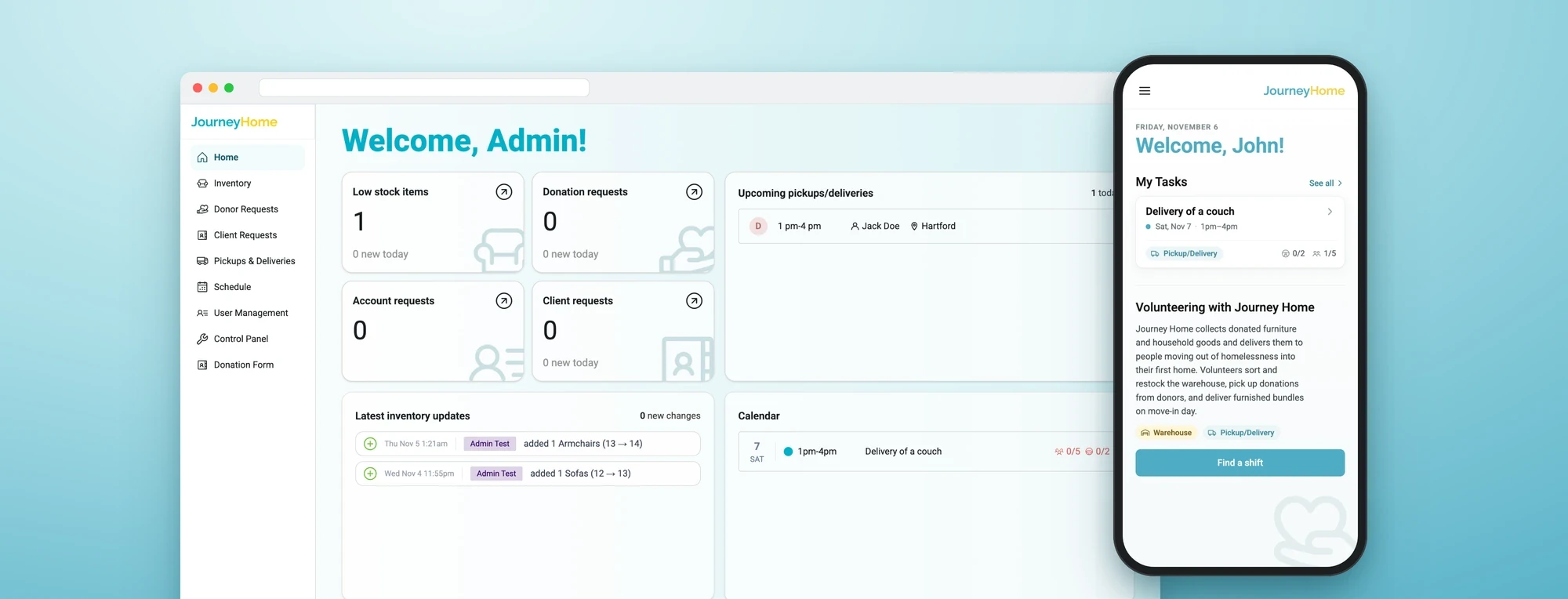
One system for every couch, shift and volunteer at Journey Home.
An operations platform that connects donors, case managers, volunteers and admins around a single loop: furniture comes in, and furniture goes out to people moving from homelessness into new homes.
- Role
- Product Designer
- Timeline
- 8 months
- Tools
- Figma
- FigJam
- Team
- 3 Designers
- 7 Engineers
- 2 Tech Leads
- 2 PMs
Contributions
Research
- Stakeholder interviews
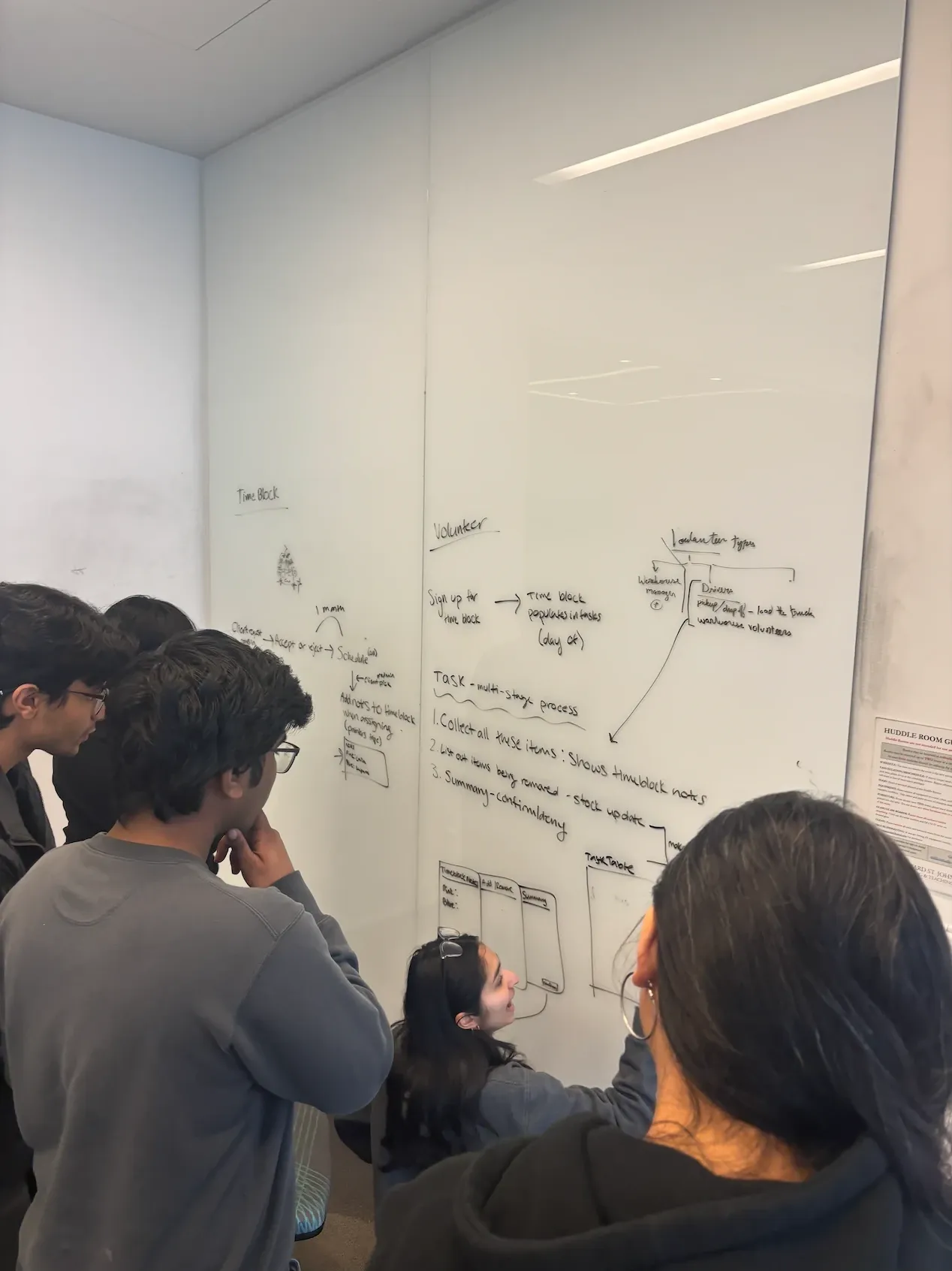
- Workflow mapping
- Biweekly client reviews
Analysis
- User group mapping
- Roles & access model
- Information architecture
Design
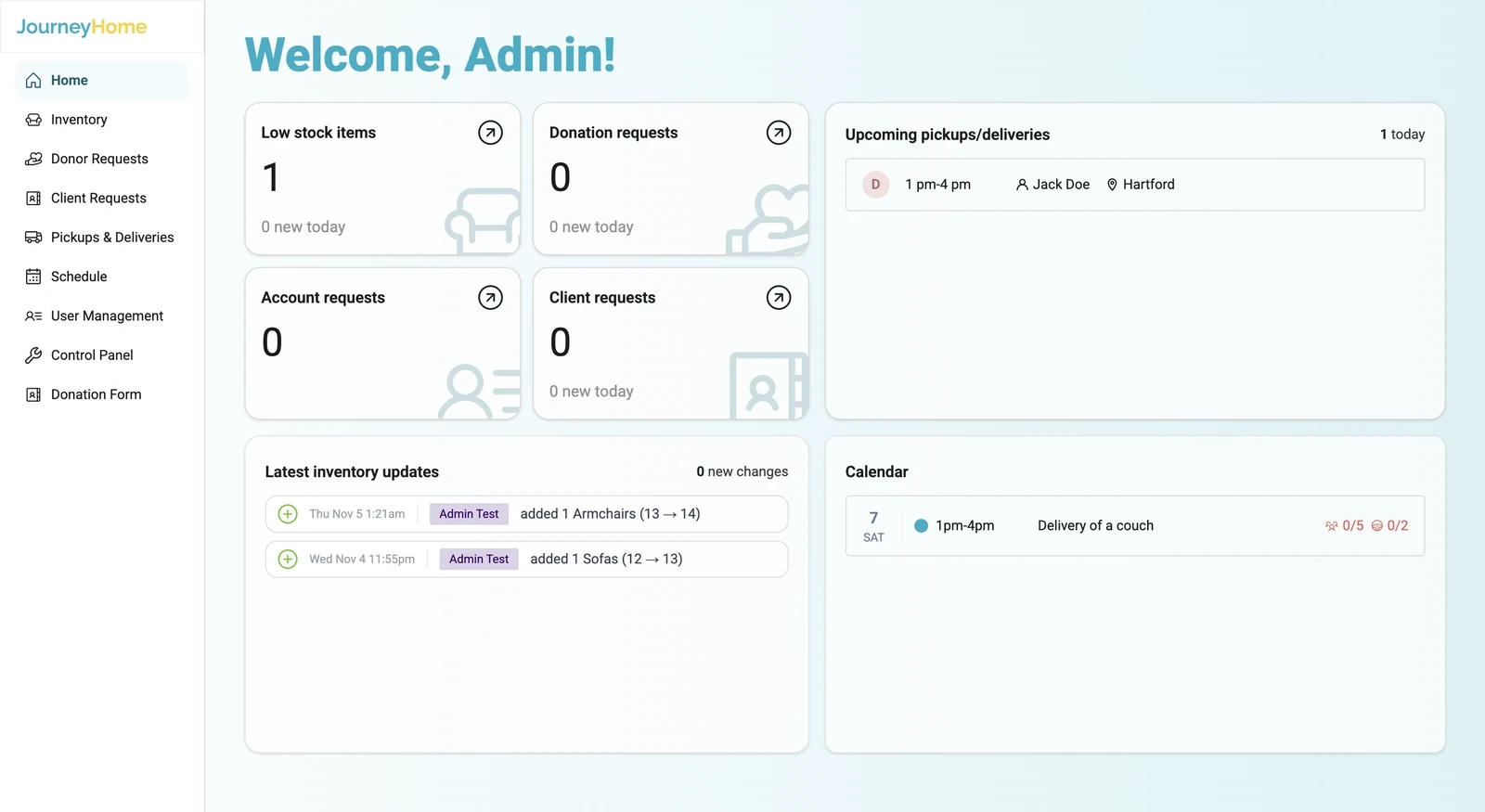
- Admin web platform
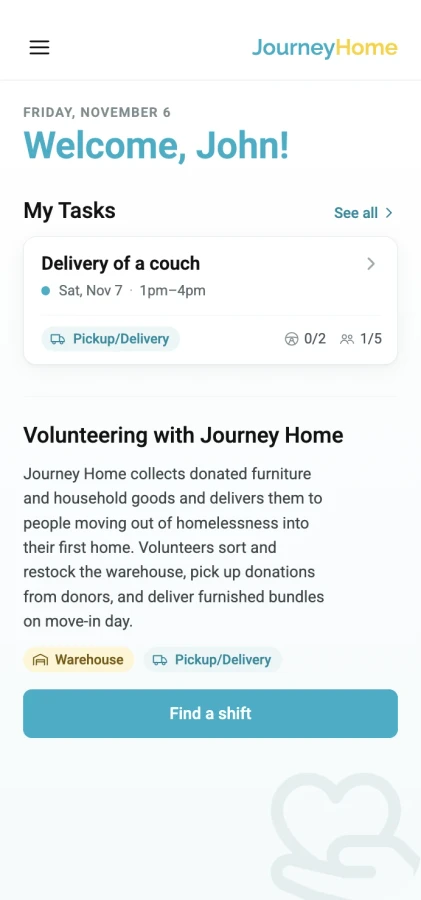
- Volunteer mobile web app
- Design system
Impact
- 2,650
- People reached: 450 clients, 1,000 volunteers and 1,200 donors
- 4 → 1
- User groups, one platform
- 80%
- Faster coordination: no more WhatsApp threads or hand-kept inventory sheets, updates happen automatically
01 Overview
- About
- Journey Home is a nonprofit that collects donated furniture and delivers it to people moving out of homelessness.
- The challenge
- Work was spread across scattered platforms and manual workflows. Everyone sent updates to the admins over WhatsApp, email or phone calls, and the admins copied them into Excel manually, so most of everyone’s time went into coordinating.
- What we built
- One platform with a different view for each role: a desktop workspace for admins, a request flow for case managers, an intake form for donors, and a mobile web app for volunteers. All of them share the same inventory and schedule. It’s deployed and in use.
02 The problem
Lots of people who wanted to help, and a system that made it hard
Getting one bed to one family touches four groups of people. Every handoff between them was a phone call, a spreadsheet row or an email.
450
Clients furnished each year
1,000
Volunteers to schedule
1,200
Donors offering furniture
4
User groups
03 Research
Who’s in the system
I interviewed 4 managers and 11 volunteers across all four user groups, then refined features with Journey Home in biweekly client reviews. The thing that stood out: everyone wanted to do the work, but nobody could see the whole picture.
Interview insights
Insight 01
Insight 02
Insight 03
Starts the loop
Donor
Public
- Does
- Offers furniture and picks a pickup window, or drops it off.
- Needs
- A quick form, and to see impact without seeing client details.
Runs the operation
Admin
Staff at Journey Home
- Does
- Approves donations and client requests, builds shifts, assigns pickups and deliveries, manages users.
- Needs
- One place to see what’s coming in, what’s in stock and what’s unstaffed.
Moves the furniture
Volunteer
Drivers & warehouse help
- Does
- Signs up for shifts, picks up from donors, delivers to clients, works the warehouse.
- Needs
- To sign up in a minute on their phone, between other commitments.
Advocates for clients
Case manager
Partner agencies
- Does
- Requests furniture on behalf of a client moving into a new home.
- Needs
- A clear form, and to know where the request stands.
How do you give four very different groups one system, when each of them only ever sees one slice of the work?
04 The system
Follow the journey of a donated couch
Every task at Journey Home needs input from all four groups. We designed one system where each step of the process can be tracked, with permissions so everyone only sees what’s relevant to them.
- DonorStarts the loop
- AdminRuns the gates and the schedule
- VolunteerMoves the furniture
- Case managerAsks on behalf of clients
05 Coming in · step 1
The sofa enters the system
A donor offers it, an admin says yes. Approving it creates the pickup on its own, so the first handoff costs nothing.
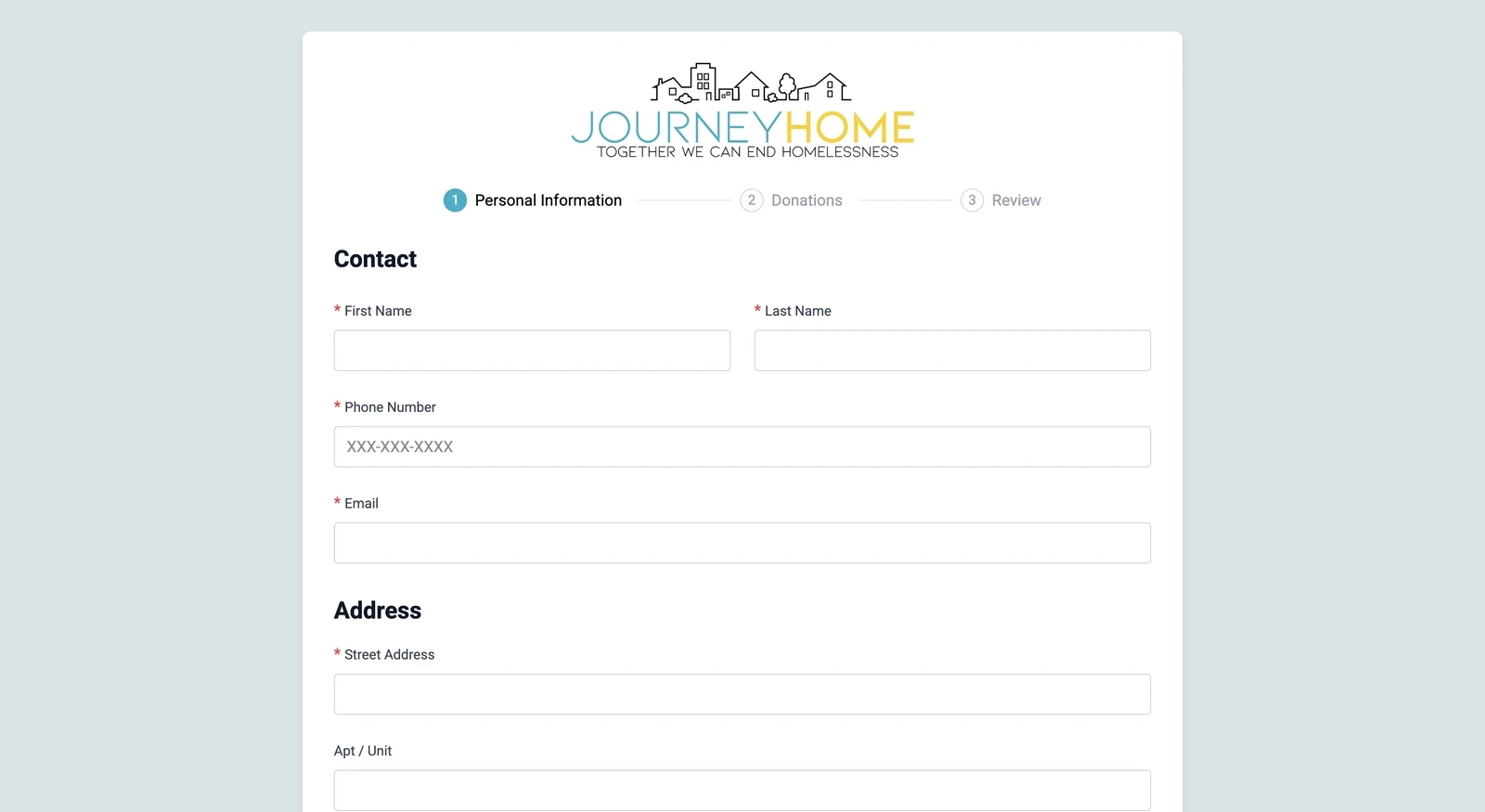
A donor offers a couch, an admin approves it, and the pickup creates itself
What happens
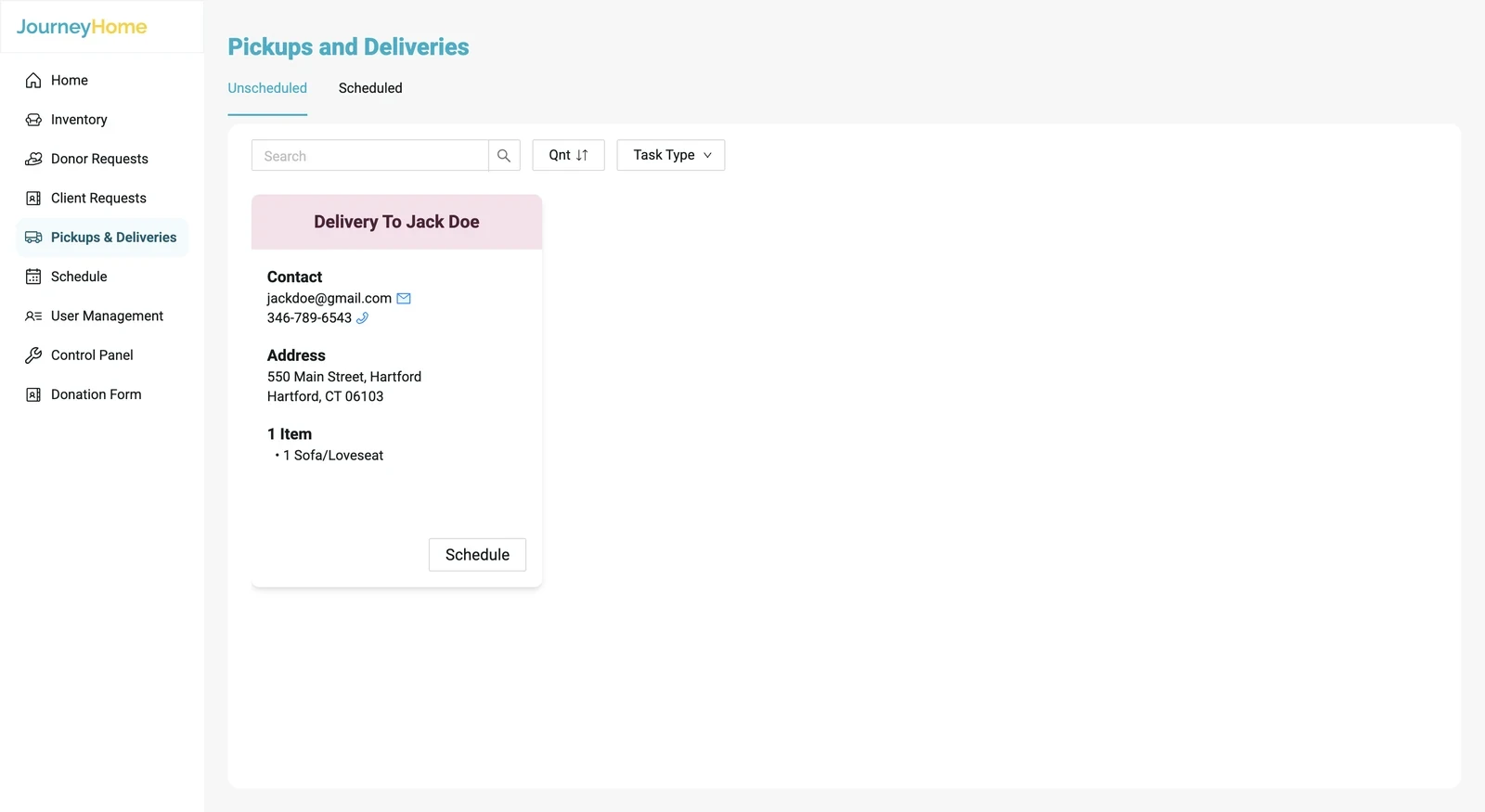
A donor offers a couch through the public form and picks a pickup window. The admin approves it, and the pickup card appears on its own in Pickups & Deliveries.
Why it’s designed this way
Donation offers used to arrive over WhatsApp, email or phone calls, and admins copied them into Excel manually. Now the form collects everything up front: a photo, category and quantity for each item, and an address checked against the area Journey Home covers, so admins can decide from one screen without chasing the donor. Approve and deny sit on each item, so they can take the sofa and pass on the broken lamp. And because approving creates the pickup automatically, nothing gets retyped.
06 Into the warehouse · steps 2–3
A crew brings it in, and inventory updates itself
Scheduling was the hardest part: a pickup needs a truck, a lead driver, helpers and a time the donor agreed to, across 1,000 volunteers.
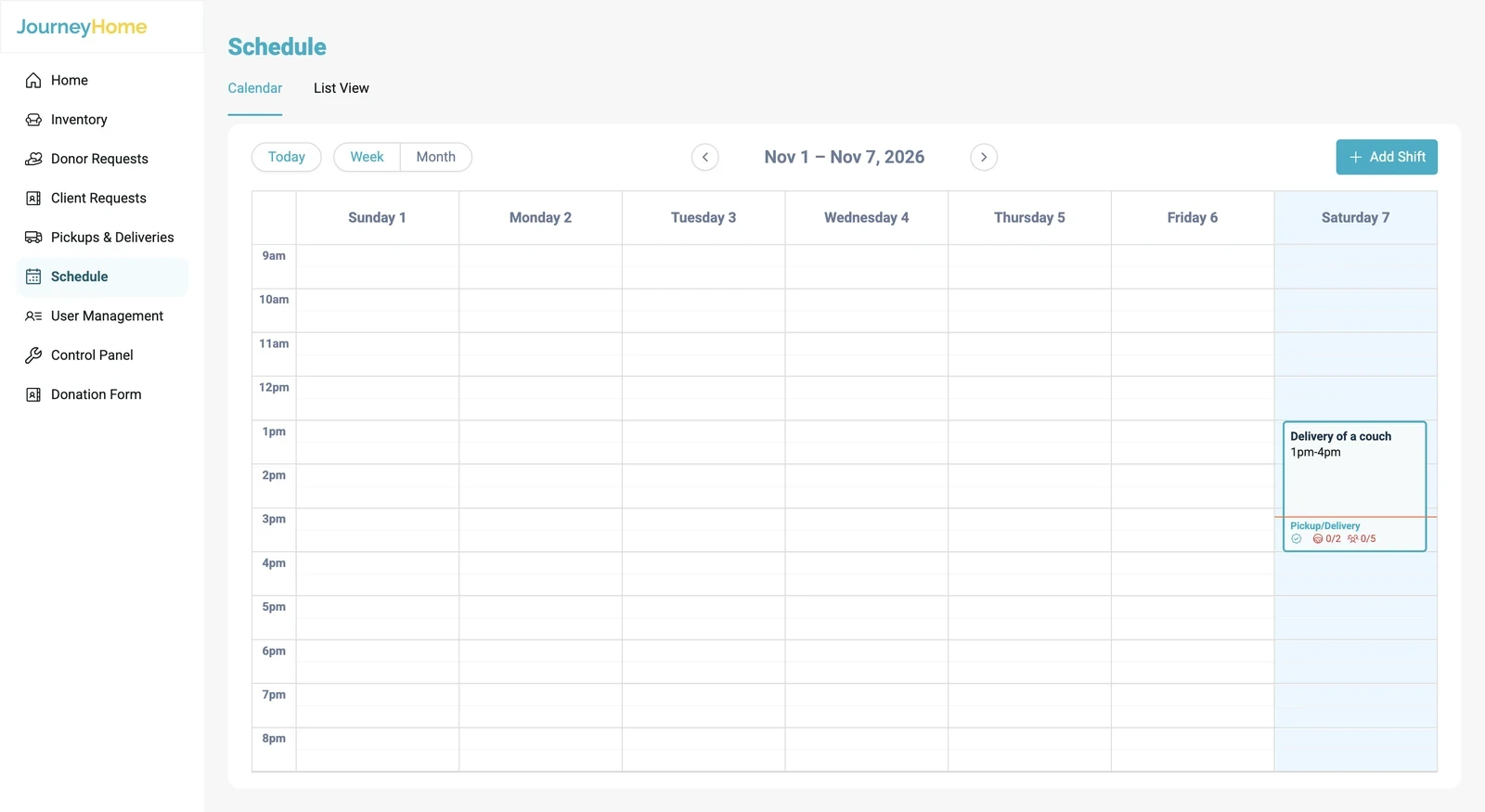
The pickup gets a crew and a time
What happens
The admin builds a shift for Thursday, sets how many lead drivers and general volunteers it needs, publishes it, then drops the Jane Doe pickup into it from the Pickups & Deliveries board.
Why it’s designed this way
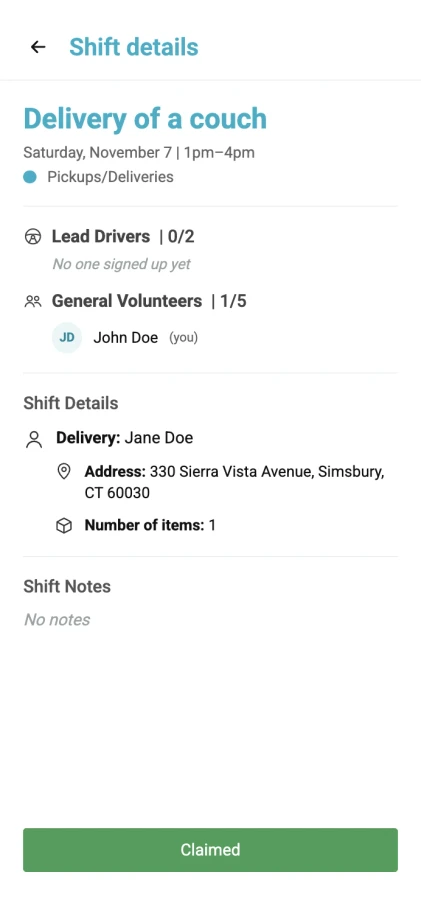
Admins used to find a crew one WhatsApp message or phone call at a time. Now they only say how many people a shift needs, and volunteers claim the spots themselves. The shift (who’s working, and when) is kept separate from the pickup (this sofa, from this address), so once the pickup is scheduled, its address and items appear in the shift details and the crew has everything in one place. It also means one crew can cover several stops, and a pickup only goes into a shift that still has room.
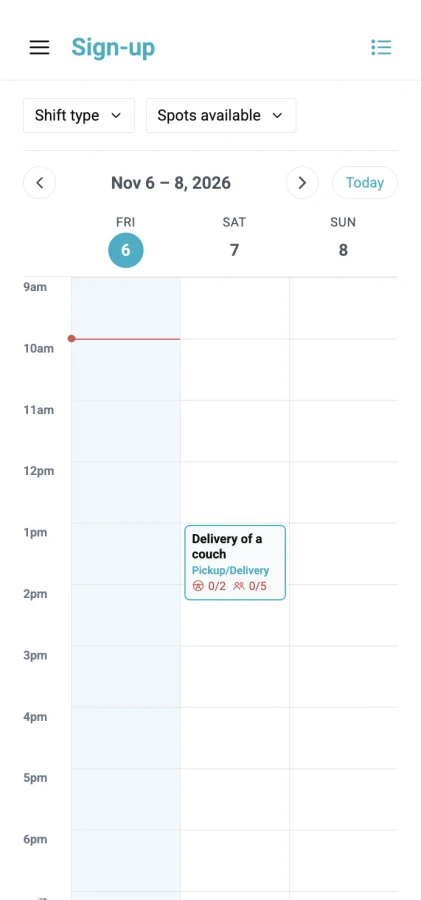
Meanwhile, on a volunteer’s phone
Once the shift is published, volunteers see it, claim a spot in their group and read the crew notes, usually between other commitments. Dropping a shift sends the opening straight back to the admin’s calendar.
A volunteer picks it up and checks it into the warehouse
What happens
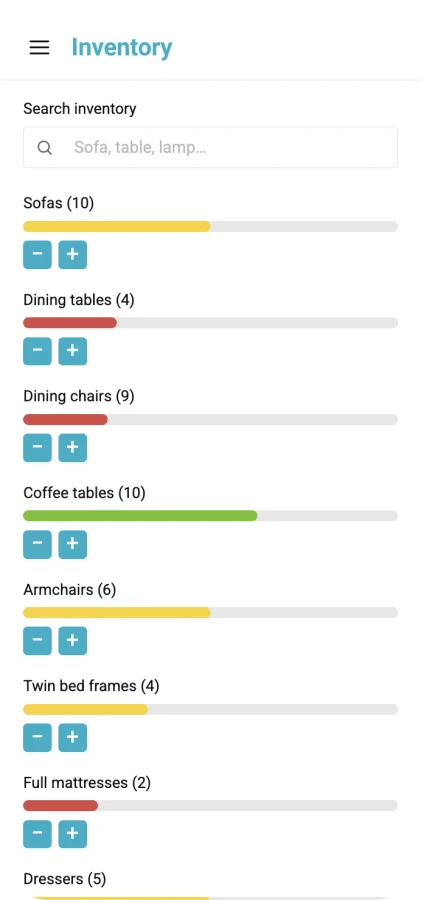
After the pickup, the volunteer checks the sofa into inventory from their phone in a short step-by-step flow with a summary at the end.
Why it’s designed this way
Inventory stays accurate because it updates at the moment furniture physically moves, done by the people moving it, not when someone gets around to a spreadsheet.
07 Out to a new home · steps 4–5
The sofa goes to a family moving in
The second half runs through the same gates in the other direction, so nothing new has to be learned.
A case manager requests it for a client, and the admin approves and schedules the delivery
What happens
A case manager fills in a guided form for a client moving into a new home: the household (HMIS number, family size, move-in date), the new home (address, elevator), then furniture by room with quantities, and a review step.
The admin approves the client request with the same approve/deny pattern as donations. Approval turns it into a “Delivery to…” card, which gets slotted into a delivery shift the same way the pickup did.
One pattern, two gates. Admins learn approval and scheduling once and use them in both directions.
A volunteer delivers it and checks it out
What happens
The crew delivers the sofa to Marcus’s new home and checks it out of inventory with the same phone flow they used to check it in.
Why it’s designed this way
Check-in and check-out are mirror images, so volunteers only learn one flow. This is where the loop closes: the count goes down at the moment the sofa leaves the truck.
One source of truth
Inventory and the schedule are shared, never copied. When a volunteer checks in a sofa, every role sees it.
Everyone sees their slice
Same system, different doors. Each role gets only the views and data its job needs.
Design for where the work happens
Admins at a desk, volunteers in a truck. Density on desktop, one task per screen on mobile.
What else is in there
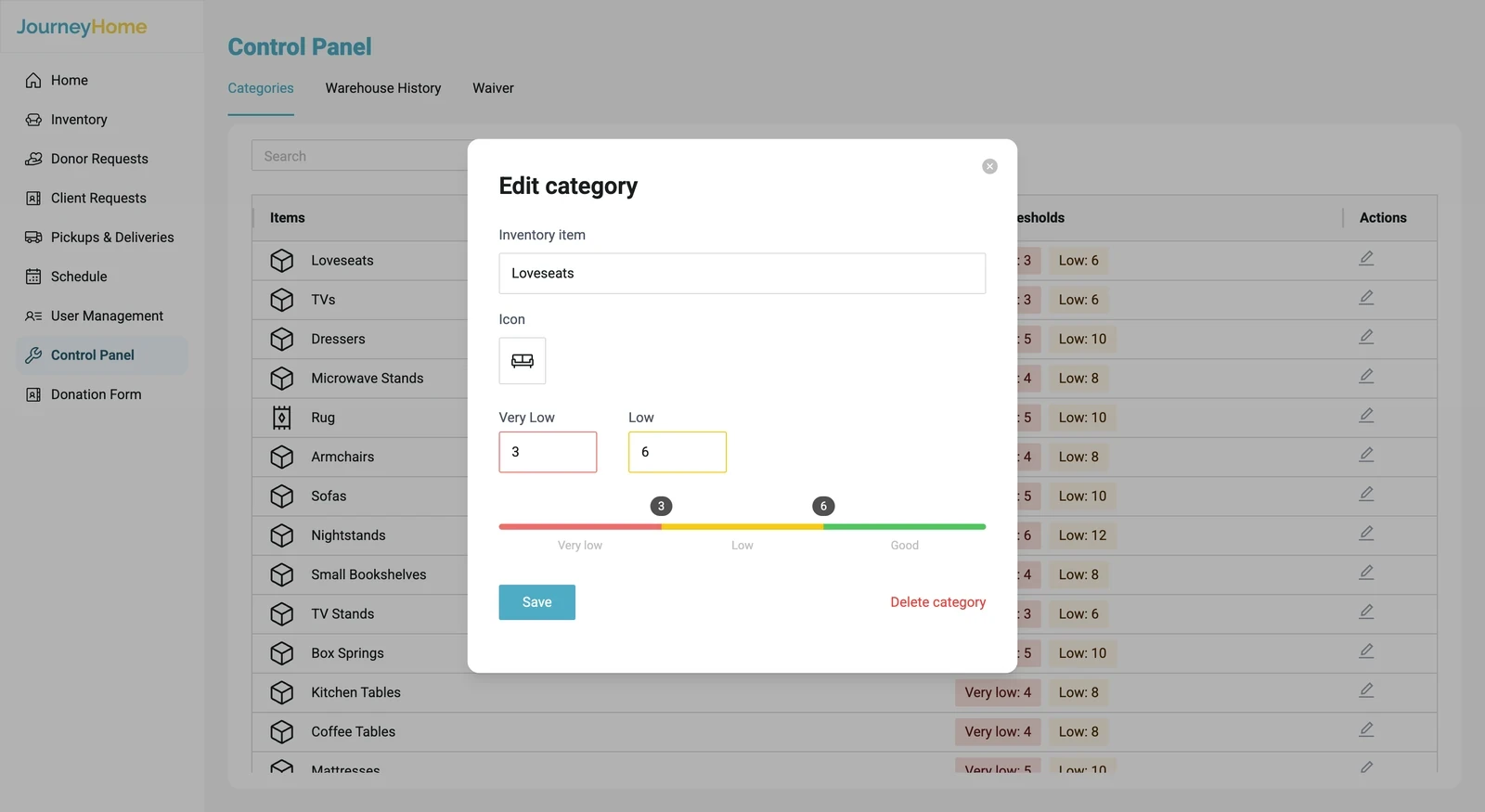
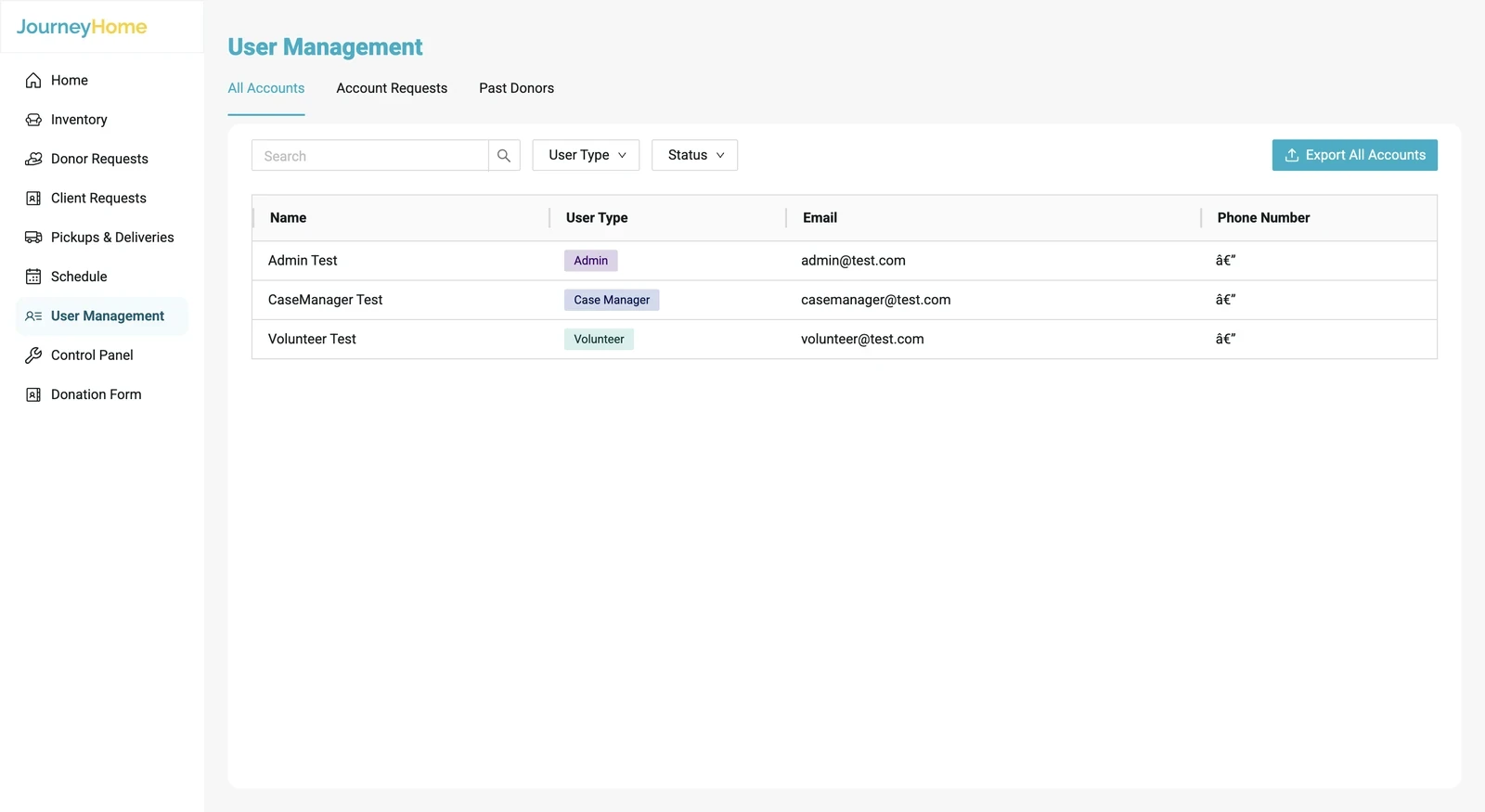
Beyond the loop, the platform also covers account sign-up with admin approval, user management, profiles, and a control panel where admins configure categories and the donation form. They’re needed, but they aren’t the story, so they stay out of the way here.
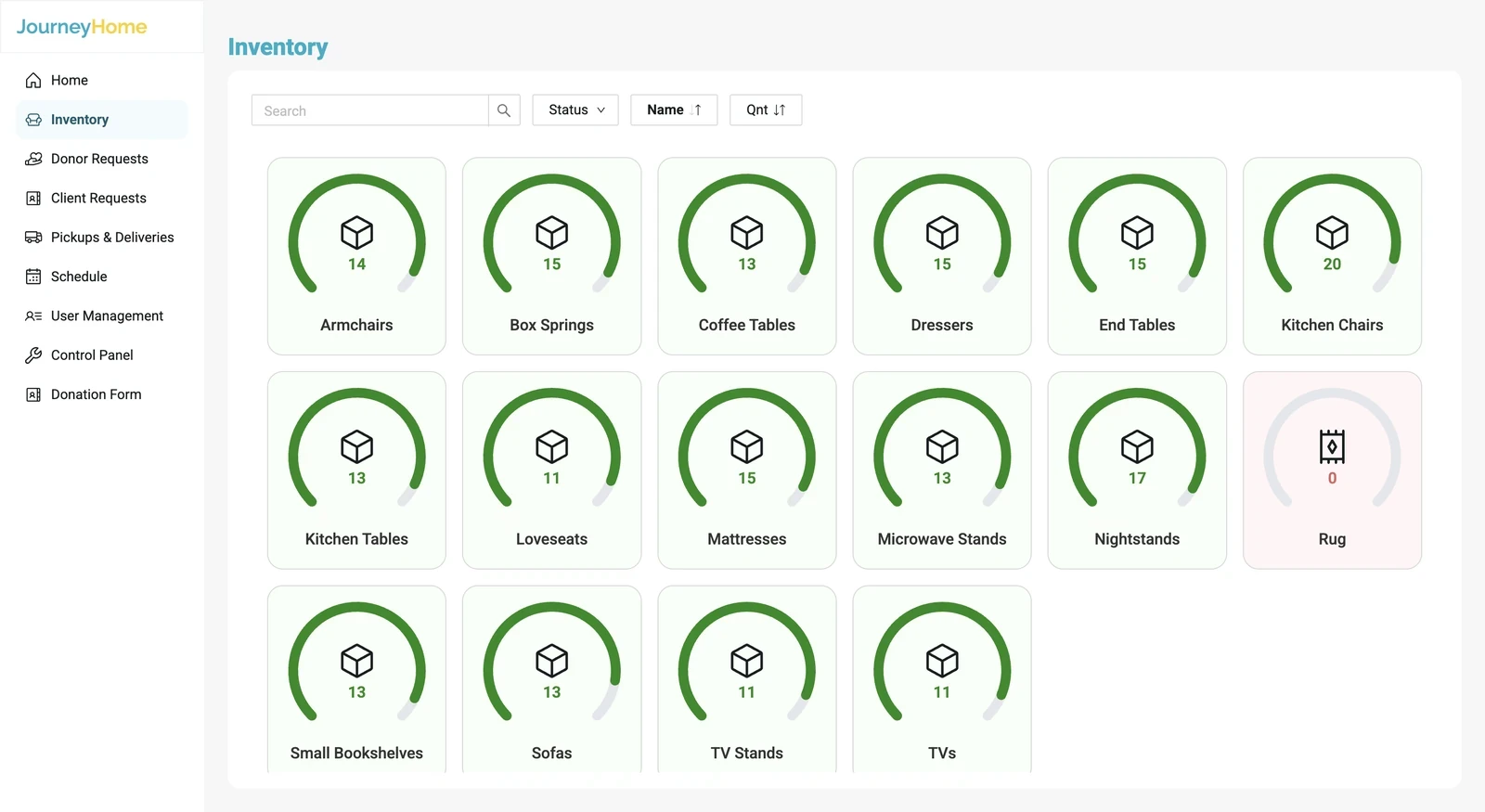
- Inventory shows every category as a ring that fills and changes color as stock moves.
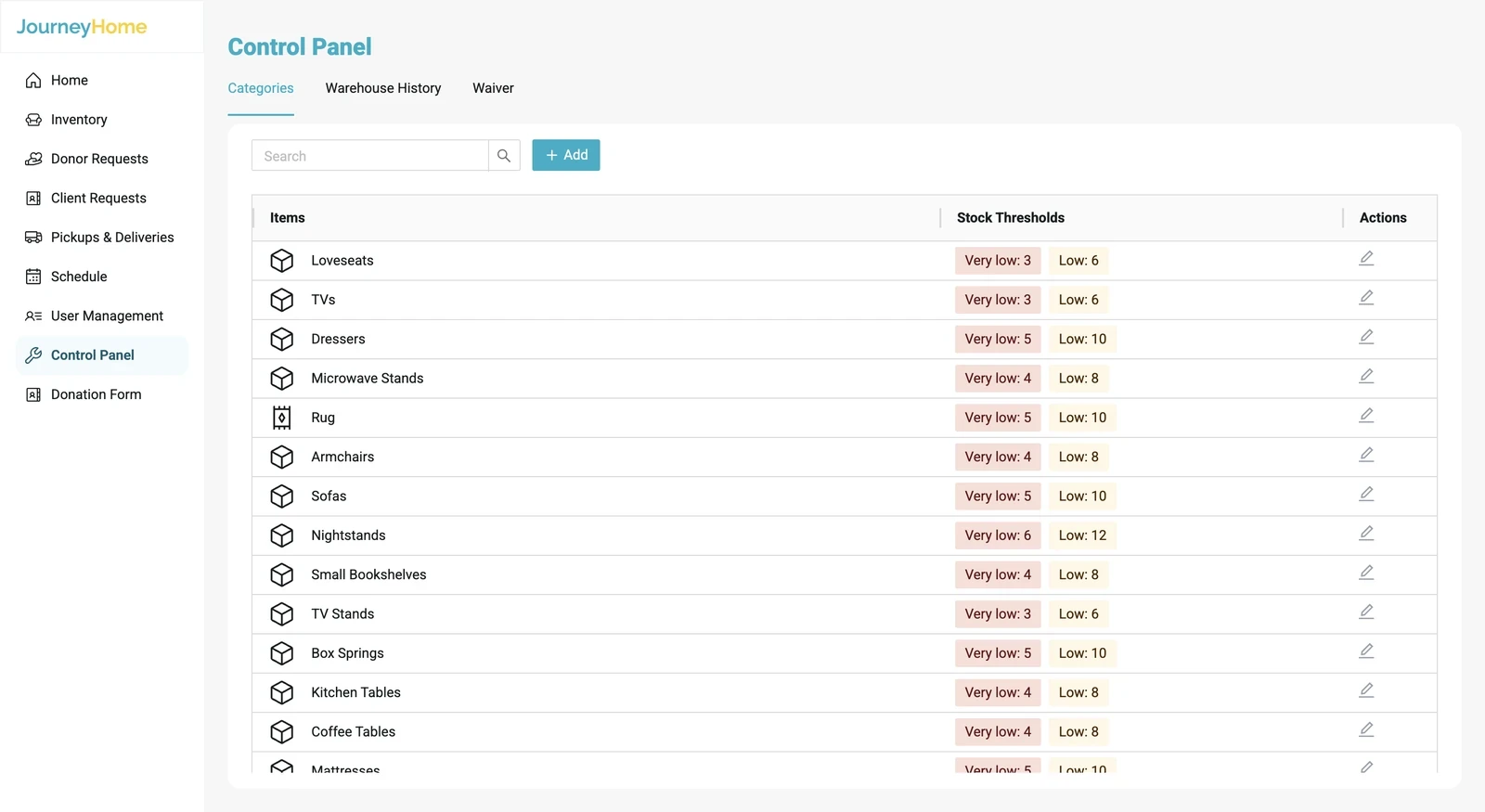
- Control panel is where admins set the low and very low numbers for each category.
- User management holds the accounts of volunteers, case managers and admins.
08 Design system
A design system we handed off, so they can scale

09
Reflection
01
Do your own secondary research
02
Show the design often
03
Decide what’s feasible together