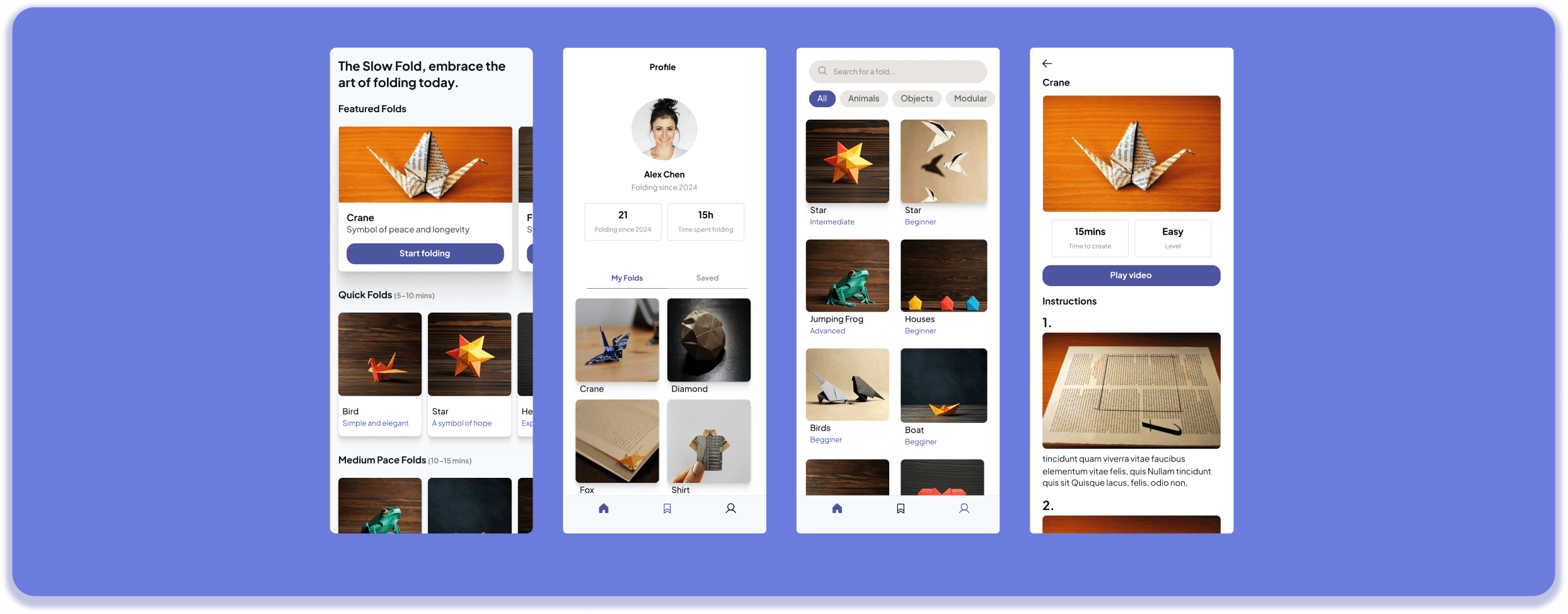
A space for you to learn at your own pace
An origami-learning app designed to help you fit mindful lessons into your busy day. Stay consistent, enjoy the process, and never feel stressed or pressured to finish your craft just for the sake of completion. Slow down, unwind, and let your creative journey unfold at your own pace.
Timeline
3 months
Tools
Figma
ChatGPT
Claude
Gemini
Miro
Switch
Whyser
Lovable
Team
1 Designers
7 LLM's
About
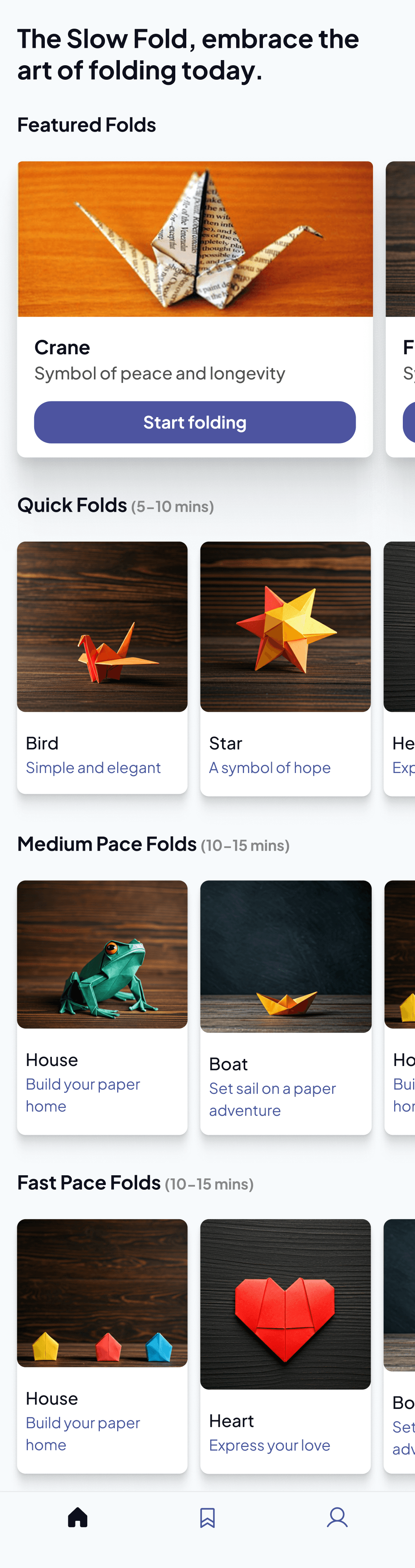
The Slow Fold is a mindful origami learning app designed to make creative practice simple and approachable. It breaks down origami folds into clear, structured steps and adapts to the time a user has available, supporting both quick moments of calm and deeper sessions of focused making.
The experience is intentionally flexible. Users can learn through multiple formats allowing them to choose the mode that best fits their learning style and context.
The app’s core goal is to integrate small pockets of creativity into busy lives without adding pressure or complexity.
Method
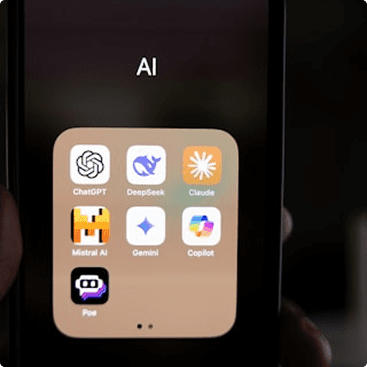
For this project, I wanted to intentionally work with Large Language Models (LLMs) and explore how they could support and shape my end-to-end UX process.
I experimented with multiple LLMs to compare how each performed on the same set of tasks and how reliably they could act as a design partner.
My exploration included testing their ability to generate
- New prototypes
- Support creative ideation
- Analyze competitive products
- Help me conduct user interviews.
My intention was also to explore UX specific AI tools that can help in very specific area of my process.
Ultimately, this became a co-designed project between myself and AI, documenting not just the final product but the journey of building it alongside emerging tools.
01 RESEARCH
What do people think about the current availability of Origami resources online
Whyser Interview
I used Whyser, an AI-driven interview tool that delivers research questions to participants and conducts automated follow-ups based on their responses. After inputting my research questions, the tool adapted them in real time asking clarifying prompts, probing deeper when needed, and maintaining a conversational, human-like tone.
Participant reactions were mixed: some were hesitant to speak to a bot, while others appreciated the flexibility. They liked that there was no need to schedule a call and that they could respond at their own convenience.
However, I also noticed limitations. Users felt less accountable to provide detailed, thoughtful answers, and the conversational depth sometimes declined as the interview grew longer. The absence of human presence meant participants were less likely to elaborate, stay engaged, or maintain conversational politeness.
Affinity Mapping
Based on what the users said I utilized 3 LLM’s to conduct affinity mapping to cluster themes that emerged.
I used Chatgpt, Claude and Gemini
Prompt
As a UX Researcher, review all the “I-statements” and cluster them into meaningful themes. Identify patterns that reveal user needs, motivations, frustrations, or expectations. Based on these clusters, outline the key insights that should guide what to prioritize before moving into the design phase.
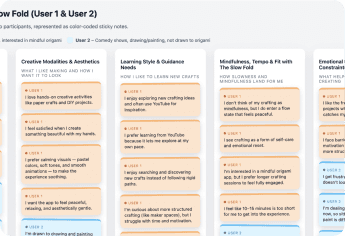
After generating the insights and clusters, create an HTML and CSS file that visually displays each cluster. Represent each user’s statements on different colored sticky notes, grouped by theme. Include an option to preview the visualization inside the chat.
Chat GPT
In terms of organizing insights into themes, it did a decent job. However, it didn’t quite push past surface-level grouping. The themes felt broad and high-level, rather than revealing deeper patterns or relationships I would expect from a more detailed affinity mapping process.
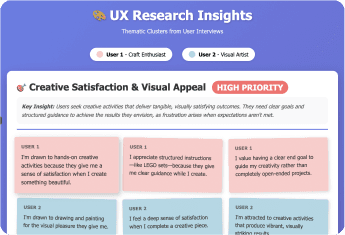
Claude
I was very happy with the affinity-mapping results. It truly embodied the role of a UX researcher, clustering insights based on actionable steps rather than superficial similarity. The clusters revealed meaningful user insights, and it even created more categories, ranked them by priority based on cluster size, and wrote the key insight at the top. The overall structure was thoughtful and the text was very clear.
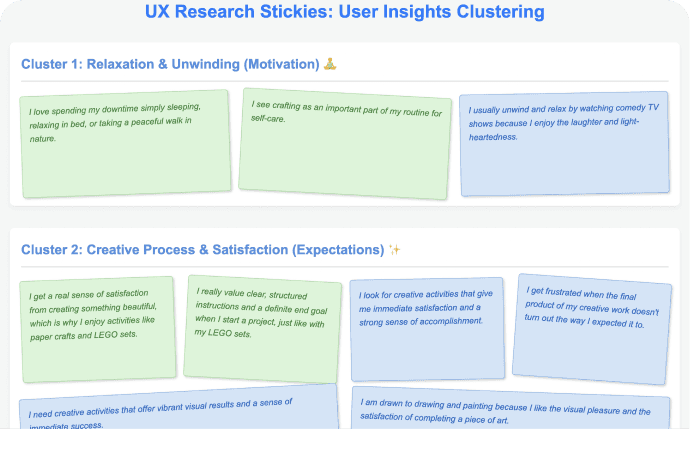
Gemini
I felt that the clusters were very generic and very few. It’s affinity map was very small and it did not include all the I statements that were included. The clustering also felt like it was only according to themes and not insightful data.
Overall I prefered the very UX focused insights and clusters from claude and went with that.
Users value tactile, completion-oriented creative work
Mixed feelings about video tutorials; preference for self-paced, problem-solving approach
Users frustrated by lengthy, unfocused, or poorly paced content
Physical, temporal, and motivational barriers prevent engagement
Users experience mindfulness through crafting, even without intentional practice
Users have different preferences for engagement duration
Interest in social crafting but with low-pressure interaction
How might we design crafting lessons that are clear, well-paced, and problem-solving oriented so users can learn independently without frustration or reliance on lengthy video tutorials?
Who are we building for ?
Personas
To understand our key audience better I created personas. Again I used ChatGPT, Claude and Gemini. After reviewing all the personas that were generated, I went through each one to identify the elements that aligned most with my understanding of the users. I pulled useful insights from all the versions, but I found that Claude’s persona captured the assignment best and most accurately represented my target users. Using that as the strongest reference point, I combined key pointers from the other personas and created a final version an amalgamation of all the insights, with Claude’s output serving as the primary inspiration.
Prompt
Create persona(s) based on the affinity map. Identify who the primary user type is going to be, and fill in the following fields for each persona: • Name: • Age: • Job: • Gender: • Background: • Motivations: • User needs: • User pain points: • User goals: • User quote: •
Problem statement: Use only the provided data to shape your personas. If the data suggests more than one distinct user type, you may create multiple personas but they must accurately reflect the users represented in the data, not assumptions.
After defining the personas, create a visual representation of each persona and code it using HTML and CSS. The visual should function as an infographic that includes all the relevant persona information.
Provide an option to preview this persona infographic inside the chat. Finally, explain your reasoning for choosing one or more personas and how the data supports this decision.
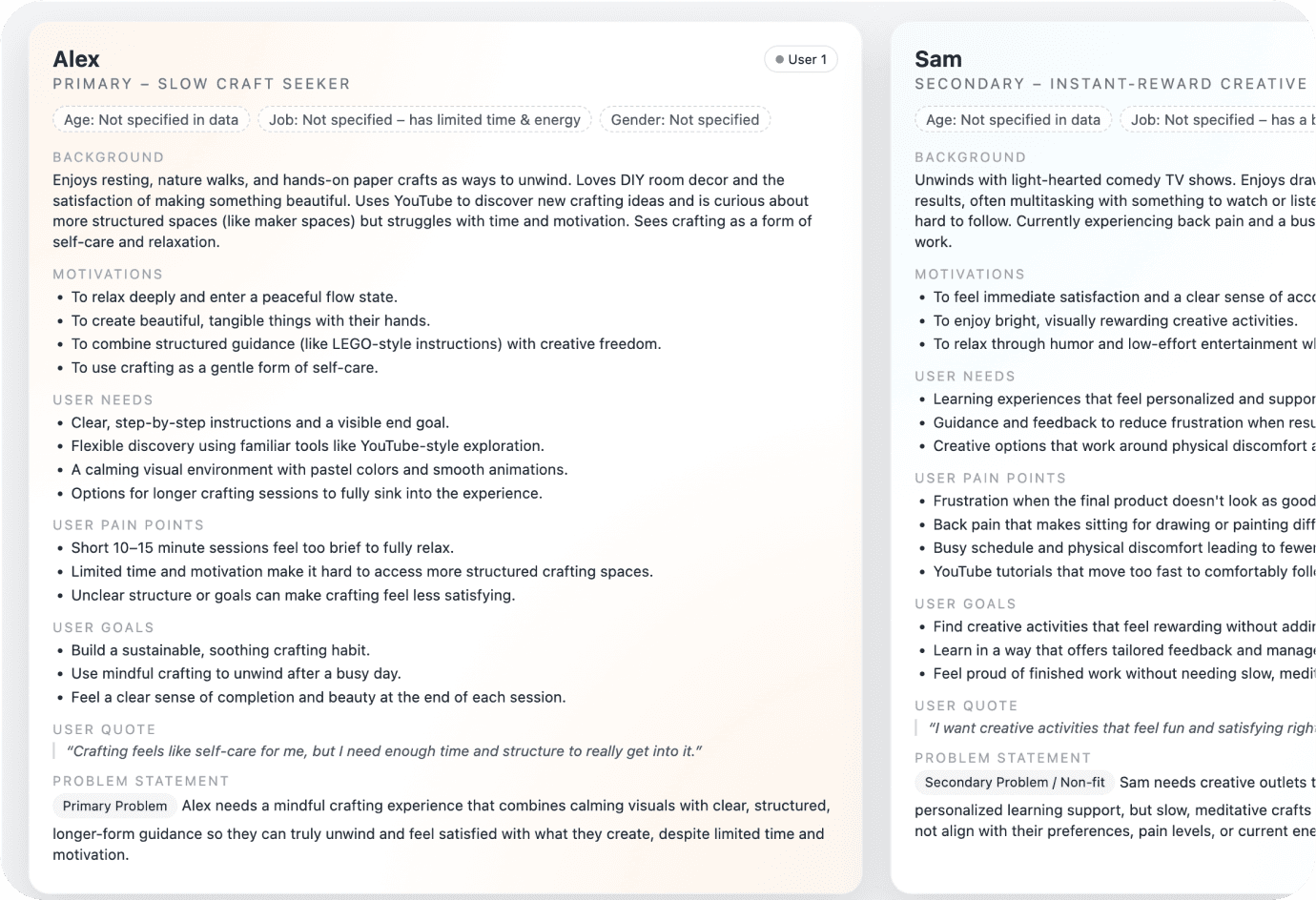
Chat GPT
The traits in the persona felt cherry-picked from the affinity map, making the insights seem like they represented different people rather than converging into one coherent user. It didn’t feel like the model adapted well to the assignment of creating a single, unified persona based on the insights. Although it did categories the insights well within the person.
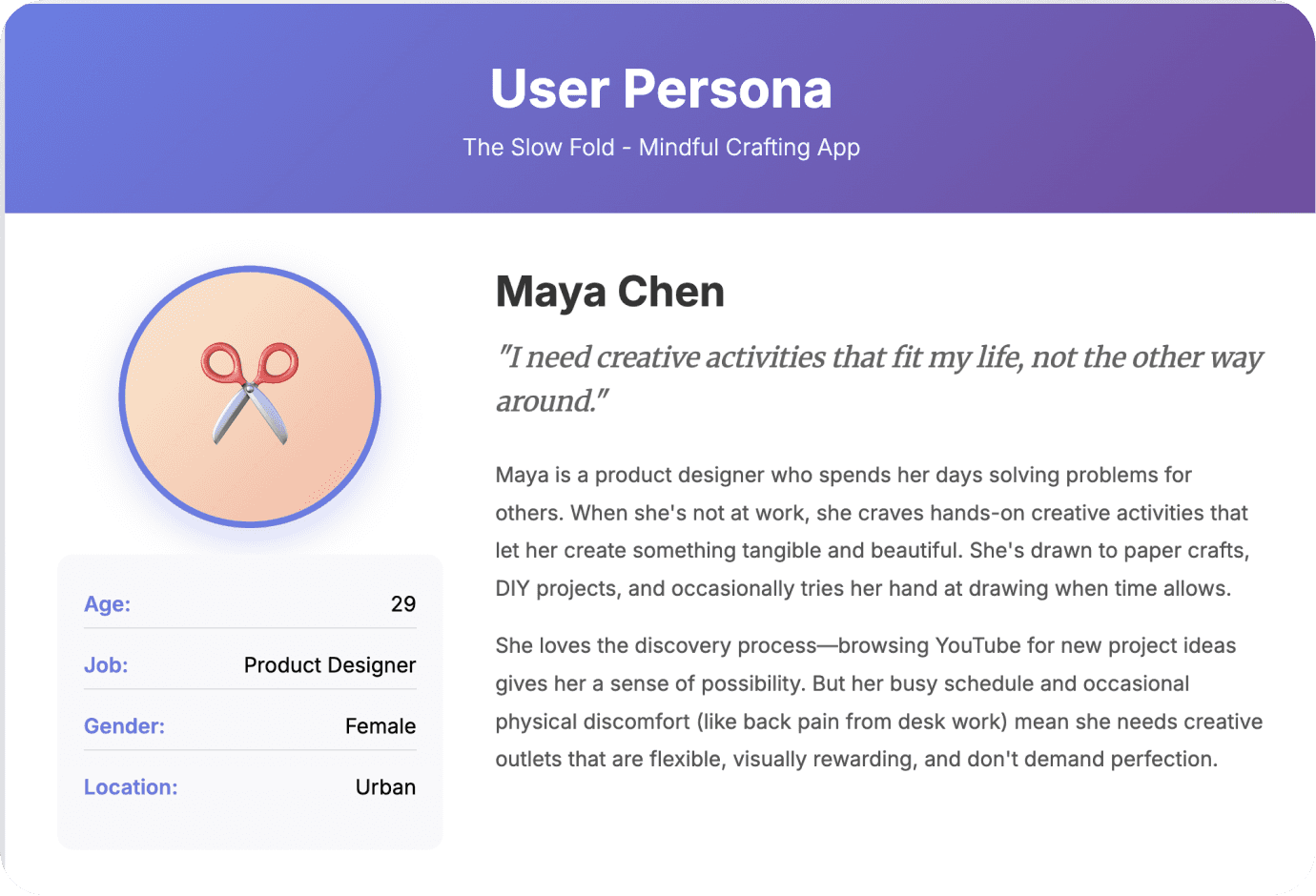
Claude
Claude generated a strong persona where the traits, concerns, and motivations blended naturally, making it feel like they belonged to a real person which is exactly what I wanted. It reflected the affinity map while still balancing the characteristics of a clear target user.
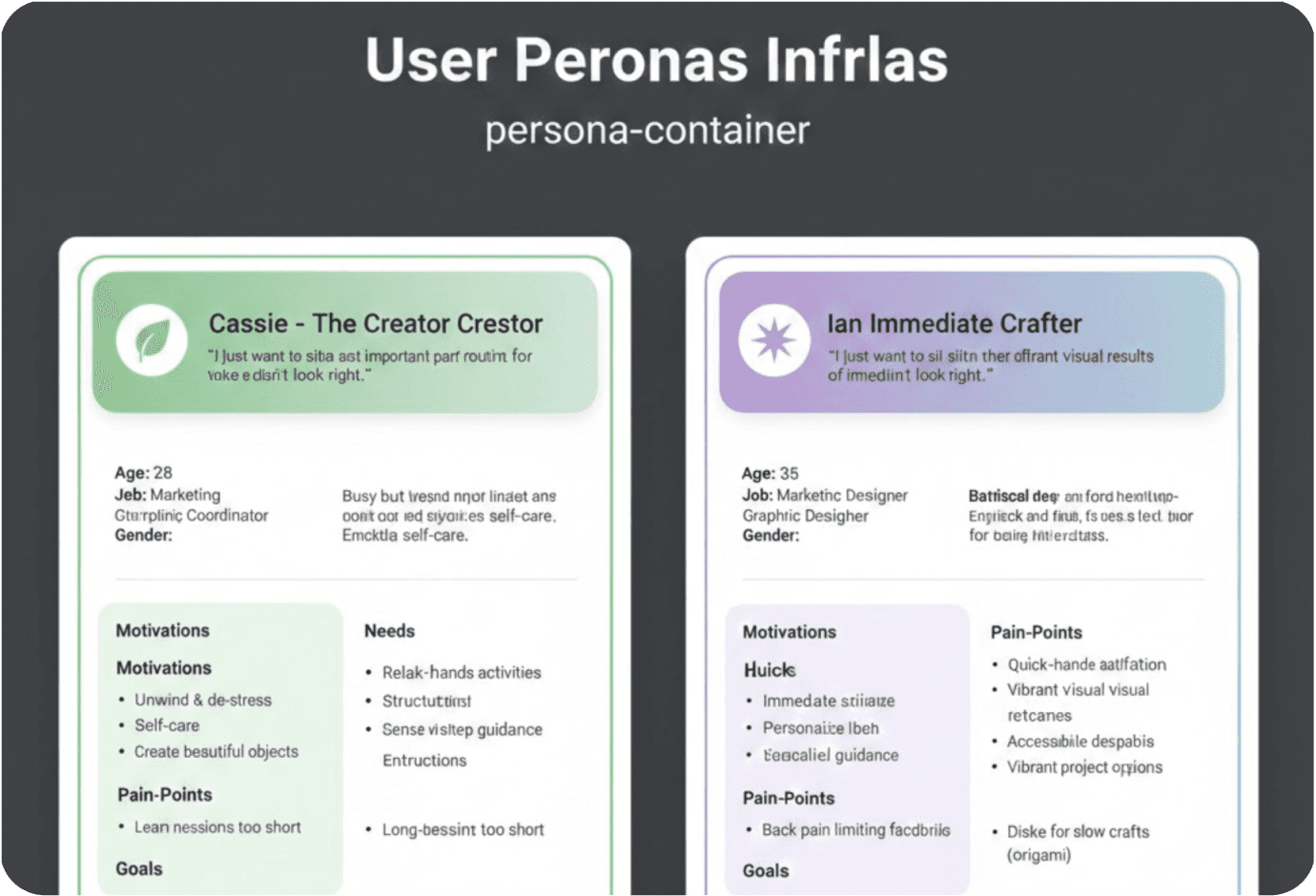
Gemini
Gemini created personas that were very to the point and included everything I asked for, but they lacked depth. The responses were concise with some useful points, yet overall they didn’t feel detailed enough.
After reviewing all the personas that were generated, I went through each one to identify the elements that aligned most with my understanding of the users. Using them all as reference points and created a final version an amalgamation of all the insights, with Claude’s output serving as the primary inspiration.
How do others present their information
Competitive analysis
To understand our key audience better I created personas. Again I used ChatGPT, Claude and Gemini. After reviewing all the personas that were generated, I went through each one to identify the elements that aligned most with my understanding of the users. I pulled useful insights from all the versions, but I found that Claude’s persona captured the assignment best and most accurately represented my target users. Using that as the strongest reference point, I combined key pointers from the other personas and created a final version an amalgamation of all the insights, with Claude’s output serving as the primary inspiration.
Prompt
Conduct a competitive analysis for the slow fold, with the following learning online tools. Udemy, Domestika, Skillshare and Youtube.
Overview - What each competitor does and their core offering
Target Audience - Who they're designed for
Value Proposition - What unique benefit they promise
Features & Functionality - Key features, especially ones relevant to Slow Fold
Business Model - Pricing (free, freemium, subscription, one-time purchase)
UX/UI Quality - Ease of use, visual design, interaction patterns
Content Delivery - How they teach (video, text, interactive, hands-on)
Onboarding Experience - How they introduce new users
Community Features - Social elements, sharing, collaboration
Strengths - What they do well
Weaknesses - Where they fall short or create opportunities for Slow Fold
Differentiation Opportunities - Gaps the Slow Fold can fill
Create a visual representation of the table and code it using HTML and CSS. The visual should function as an infographic that includes all the relevant information. Provide an option to preview this persona infographic inside the chat. Product
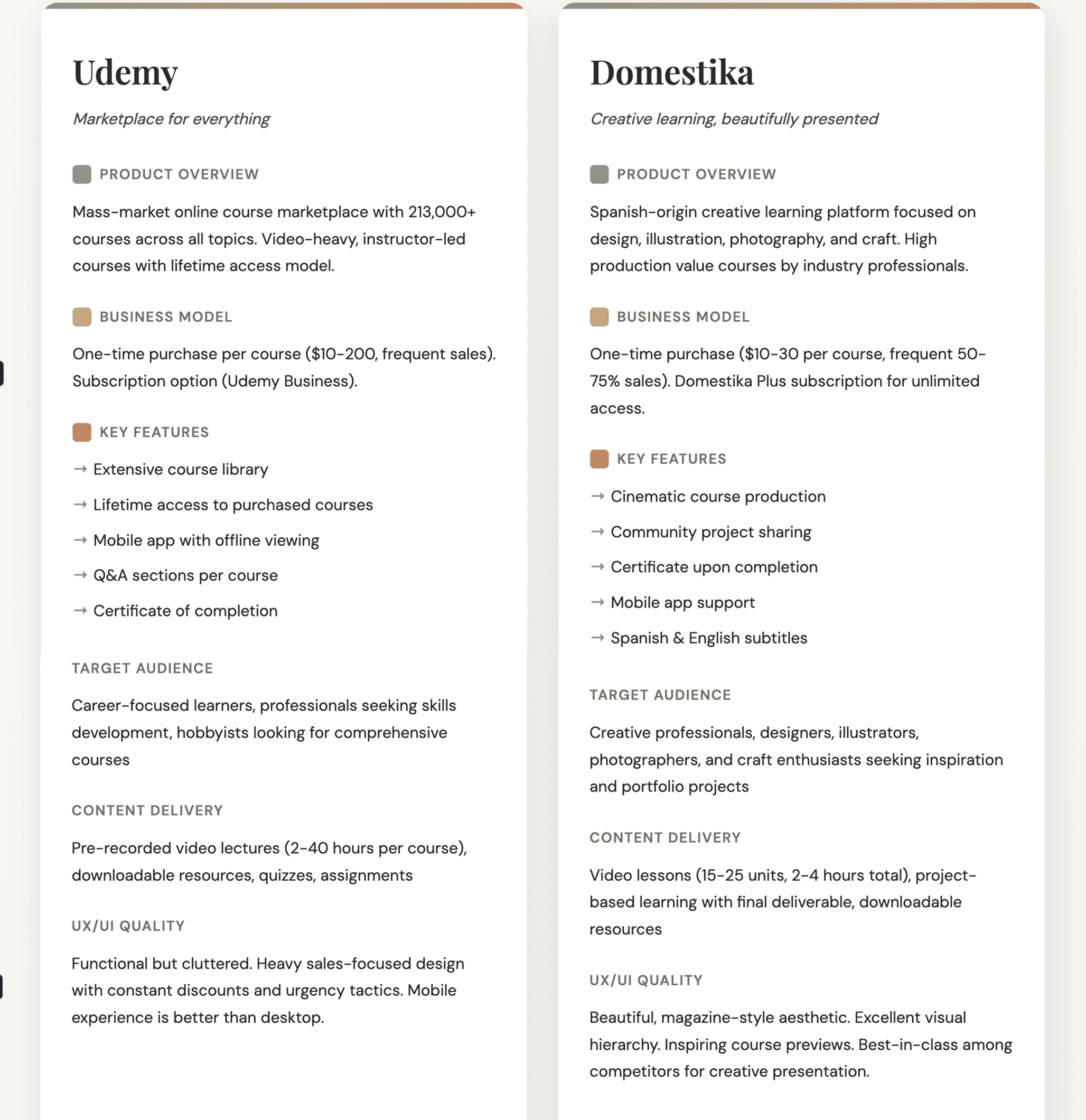
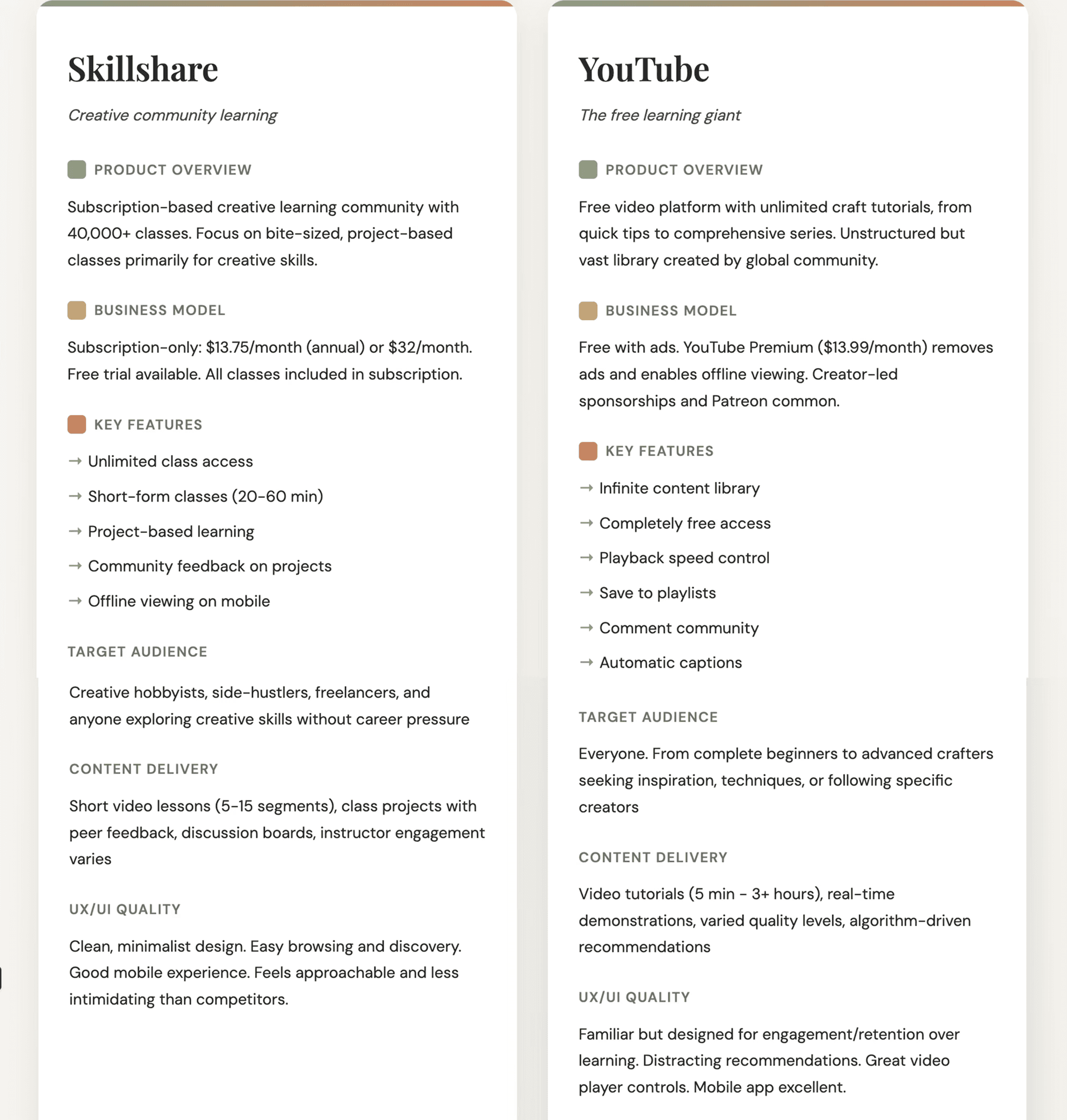
After reviewing all the personas that were generated, I went through each one to identify the elements that aligned most with my understanding of the users. Using them all as reference points and created a final version an amalgamation of all the insights, with Claude’s output serving as the primary inspiration.
Comparative strengths
Udemy: Comprehensive & Permanent
Lifetime access to purchased courses creates sense of ownership. Extensive library means almost any niche topic is covered.
Domestika: Visual Excellence
Production quality is unmatched. Courses feel like documentaries. Inspires through aesthetic presentation, not just content.
Skillshare: Low Commitment
Short classes reduce intimidation. Subscription model encourages exploration without purchase anxiety. Feels like a creative playground.
YouTube: Universal & Free
Zero barrier to entry. Authentic, unpolished content often feels more relatable. Creator personalities build loyal communities.
Comparative strengths
Udemy: Overwhelming & Sales-Heavy
Constant discount tactics feel manipulative. Quality varies wildly between instructors. Too many choices lead to paralysis and course-buying without completion.
Domestika: Passive Consumption
Beautiful but binge-watching risk is high. No pacing control. Courses assume dedicated project time blocks that busy adults struggle to find.
Skillshare: Subscription Fatigue
Monthly fee pressure to "get your money's worth." Community features feel underutilized. Classes can be too short to go deep.
YouTube: Rabbit Holes & Distraction
Algorithm pushes engagement over learning. No structured pathway. Constant interruptions from recommendations and ads. Quality inconsistency is exhausting.
Takeaways
Pacing control
Competitors: All platforms assume users control their pacing, but provide no guardrails.
Opportunity: Built-in session limits, gentle reminders, progress-based unlocking that prevents binging and respects energy levels.
Screen Time During Activity
Competitors: All require constant screen reference during crafting.
Opportunity: Minimal screen reliance brief instructions, then hands-on work with optional audio guidance or simple text prompts.
Physical Crafting Support
Competitors: Digital-first design keeps users watching, not doing.
Opportunity: Designed for offline crafting. Tactile progress tracking, integration with physical making.
Personalization
Competitors: Recommendation algorithms based on engagement metrics, not wellbeing.
Opportunity: Adapt to user energy, available time, and emotional needs. Suggest projects based on mood and capacity, not clicks.
Pressure & Gamification
Competitors: Streaks, certificates, completion percentages create obligation.
Opportunity: Judgment-free environment. Progress without pressure. Celebrate process over outcomes.
Discovery vs. Structure
Competitors: Either rigid course structure or chaotic browsing.
Opportunity: Guided discoveryclear pathways with flexibility to explore. Curated "next steps" that feel like suggestions, not demands.
Reviewers
I interviewed 12 reviewers to uncover their pain points and current process. The main pain points I discovered were
The reviews toggle through 3 tools for over 20+ applications

Ideation
ChatGPT
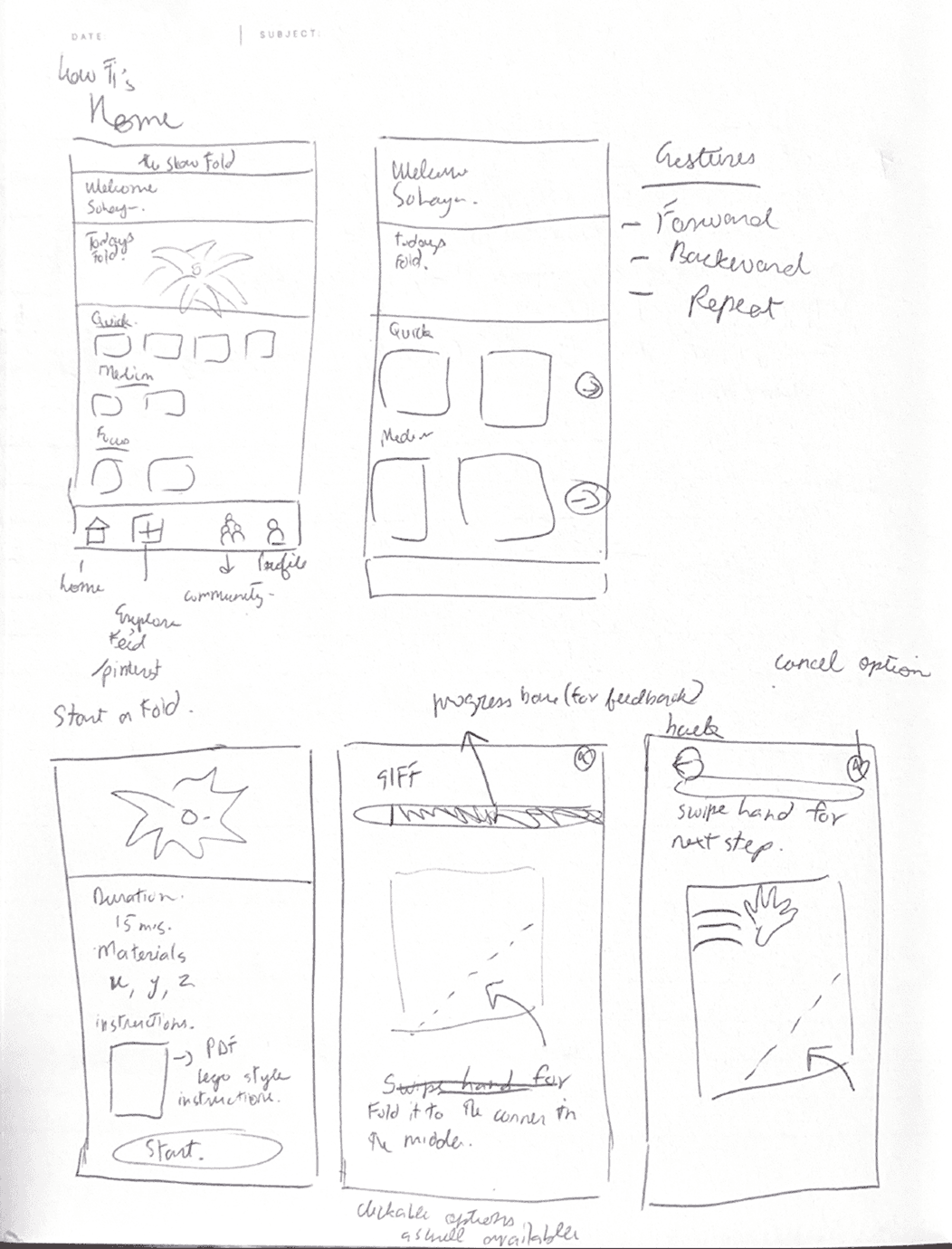
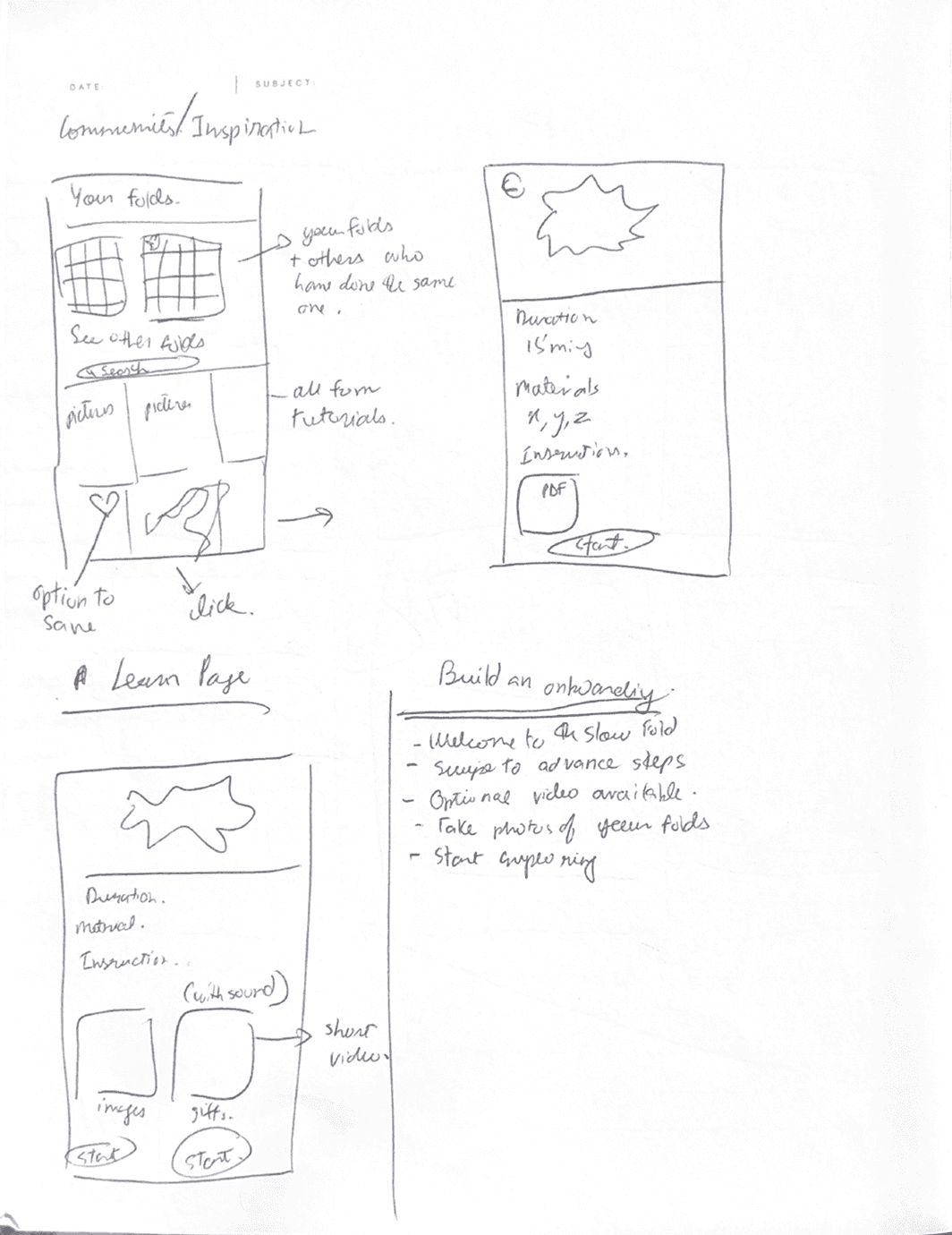
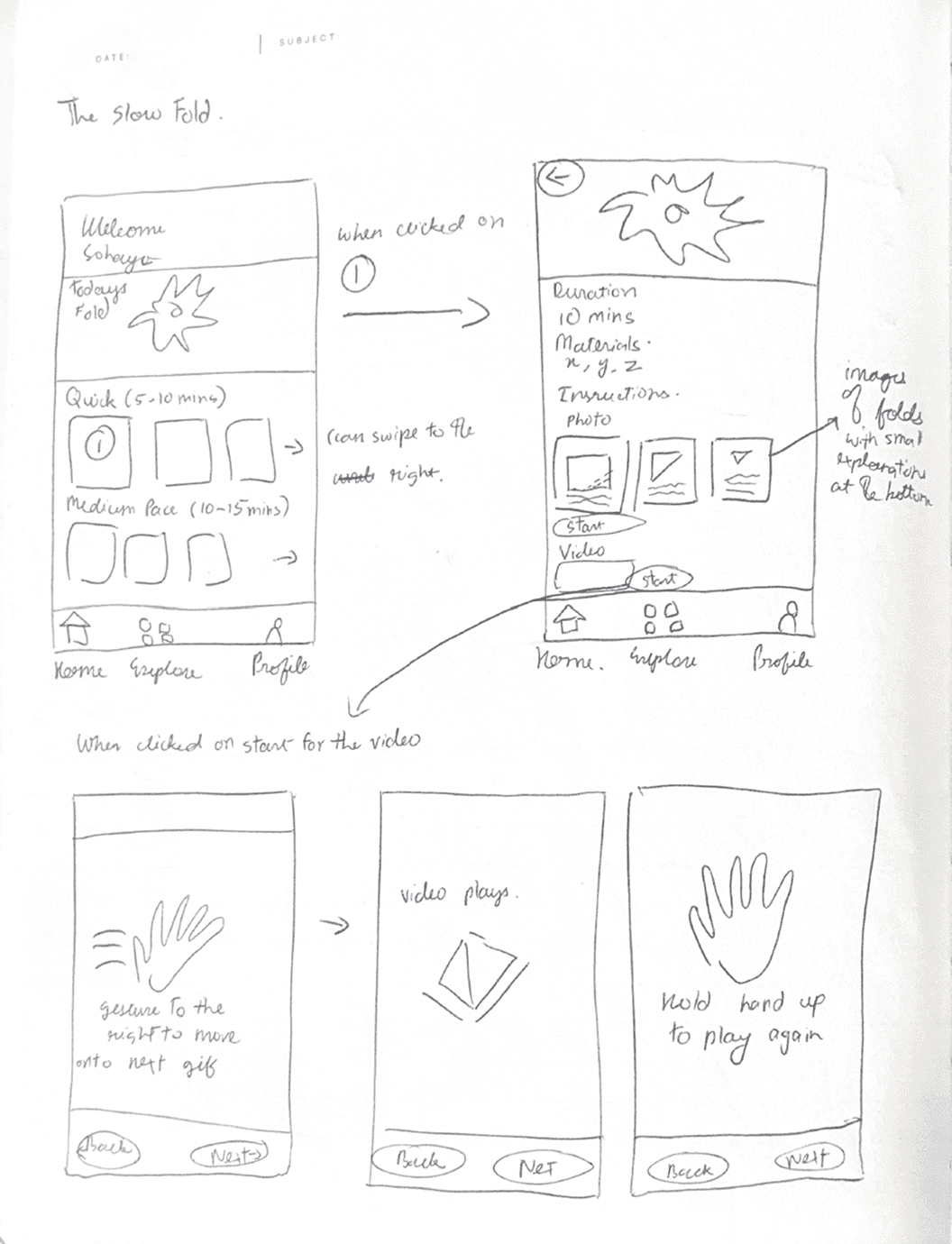
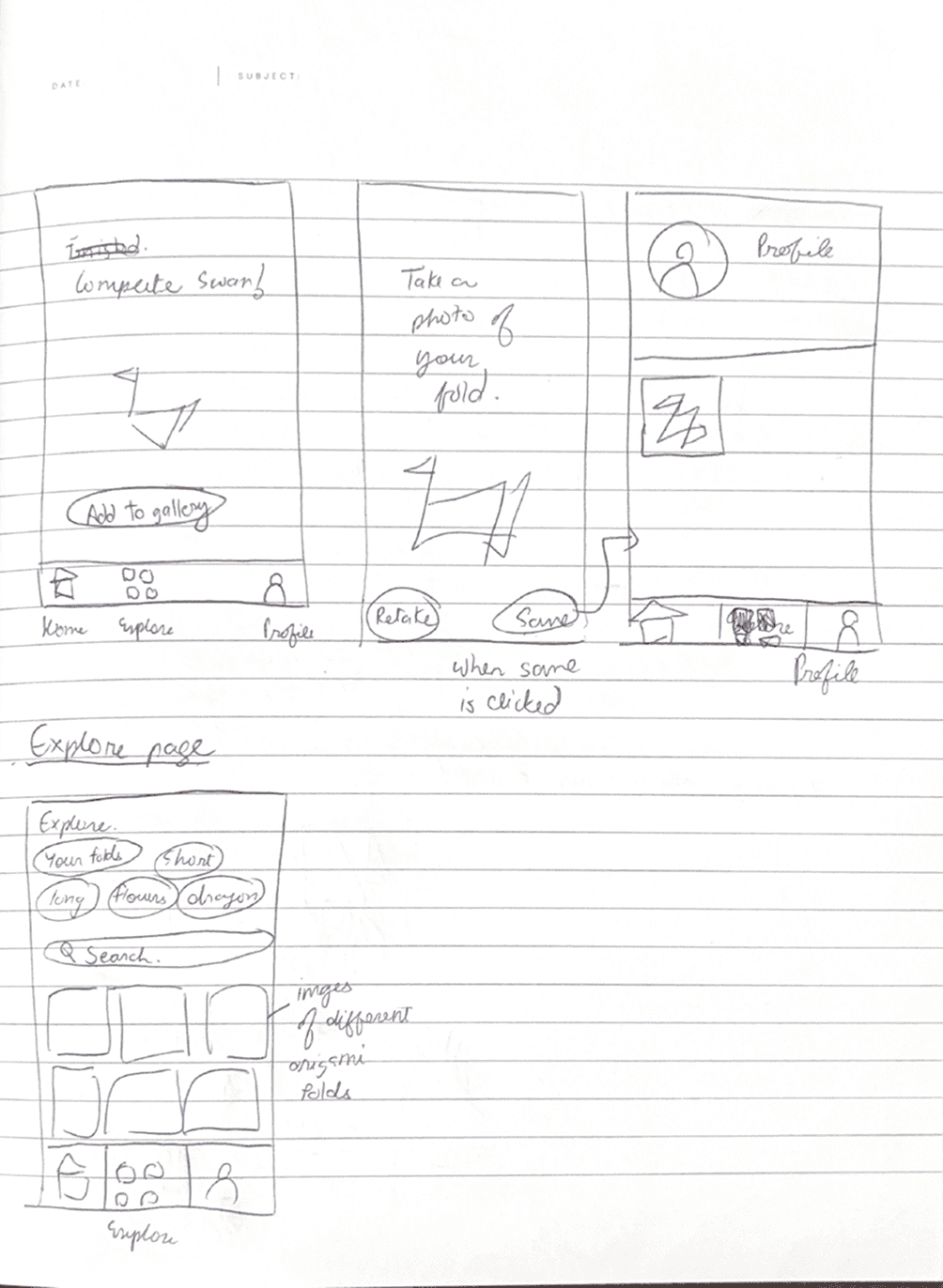
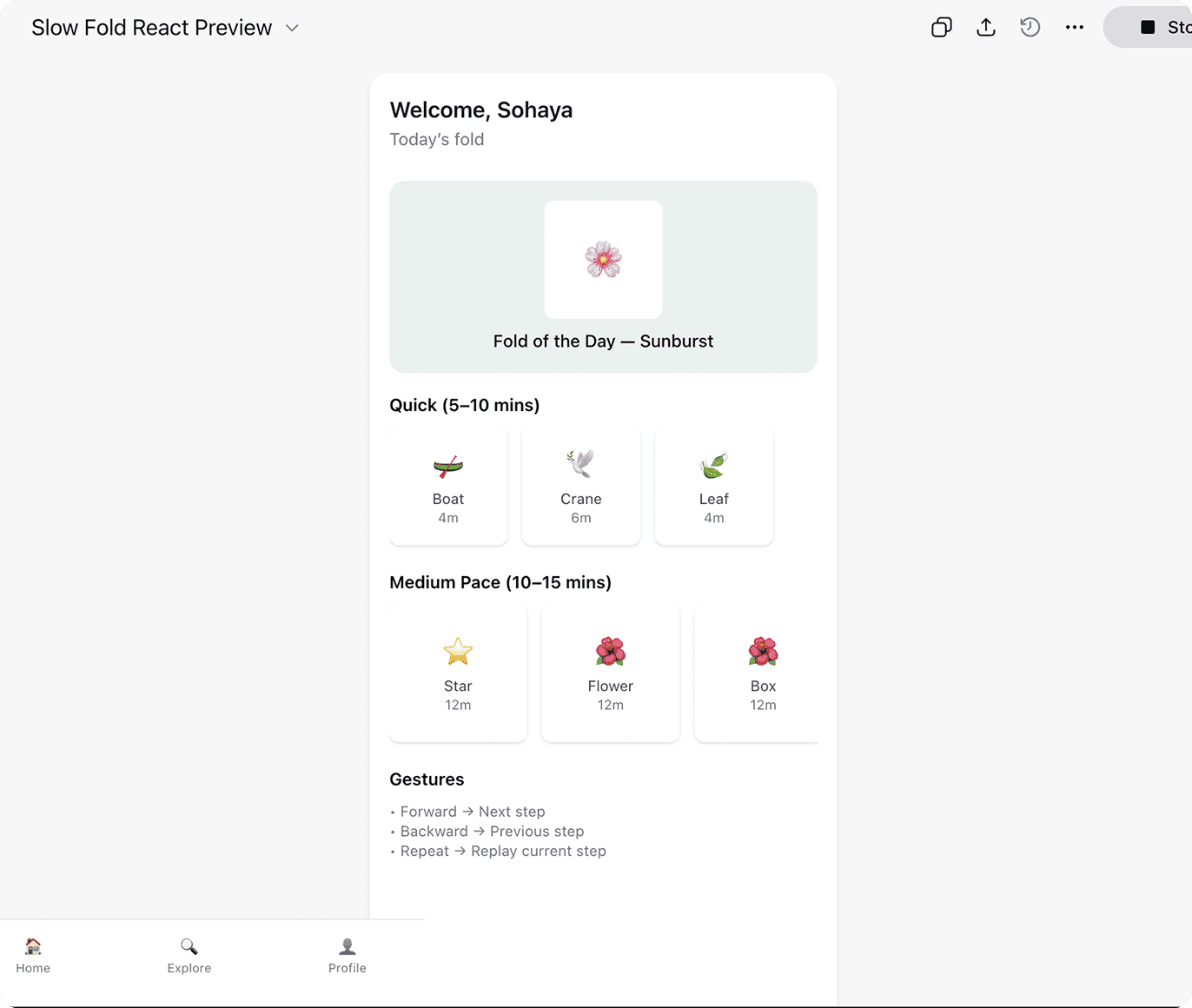
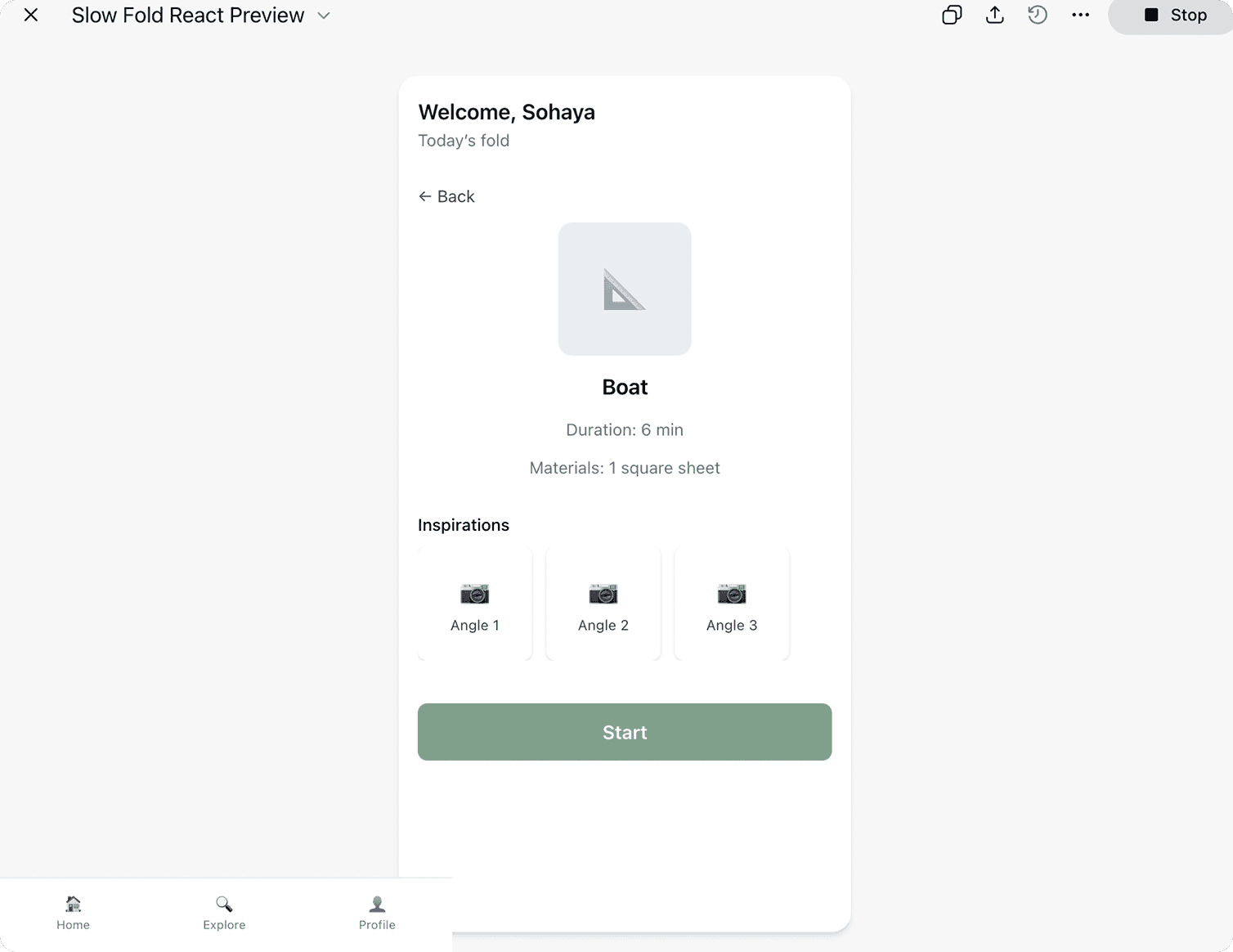
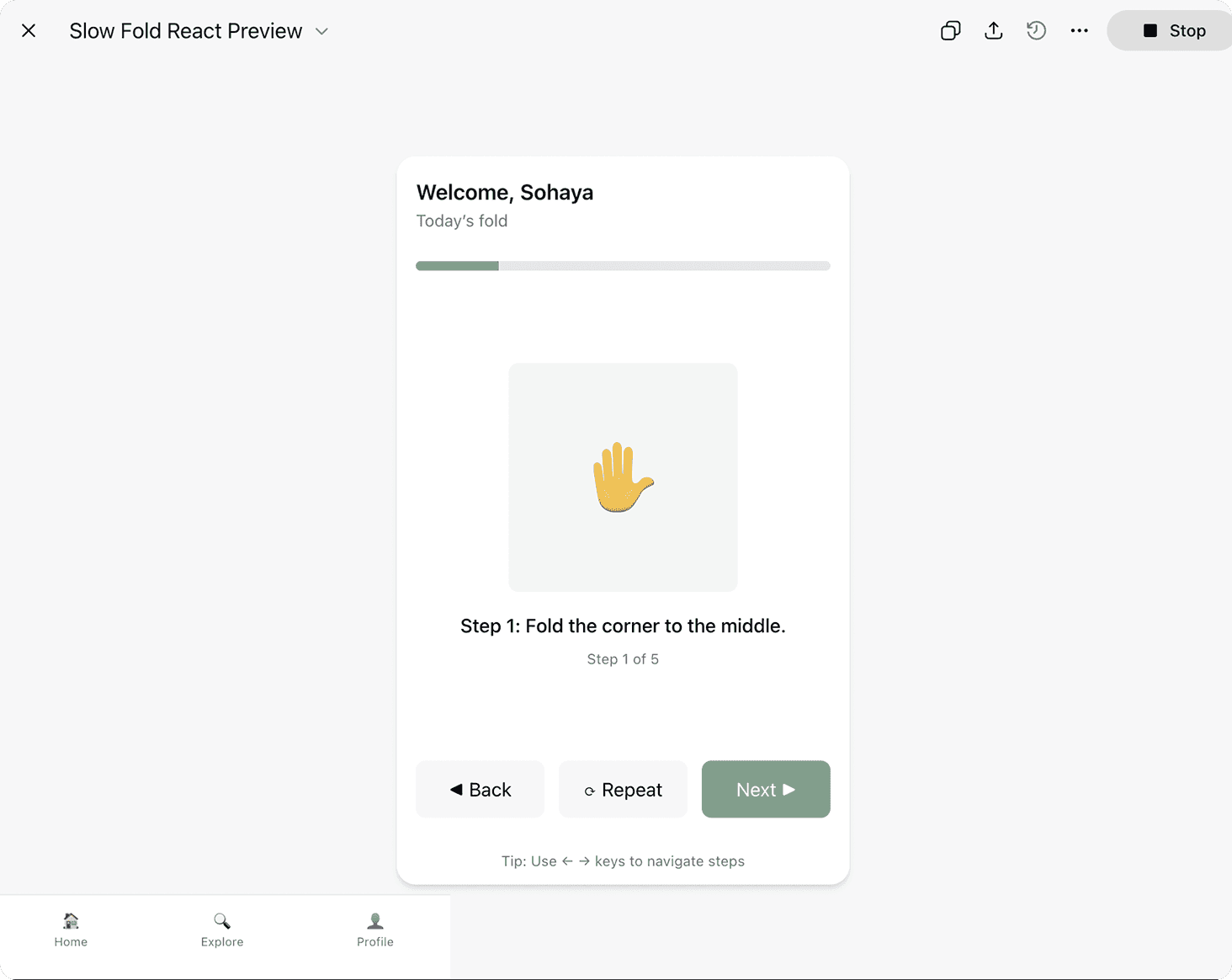
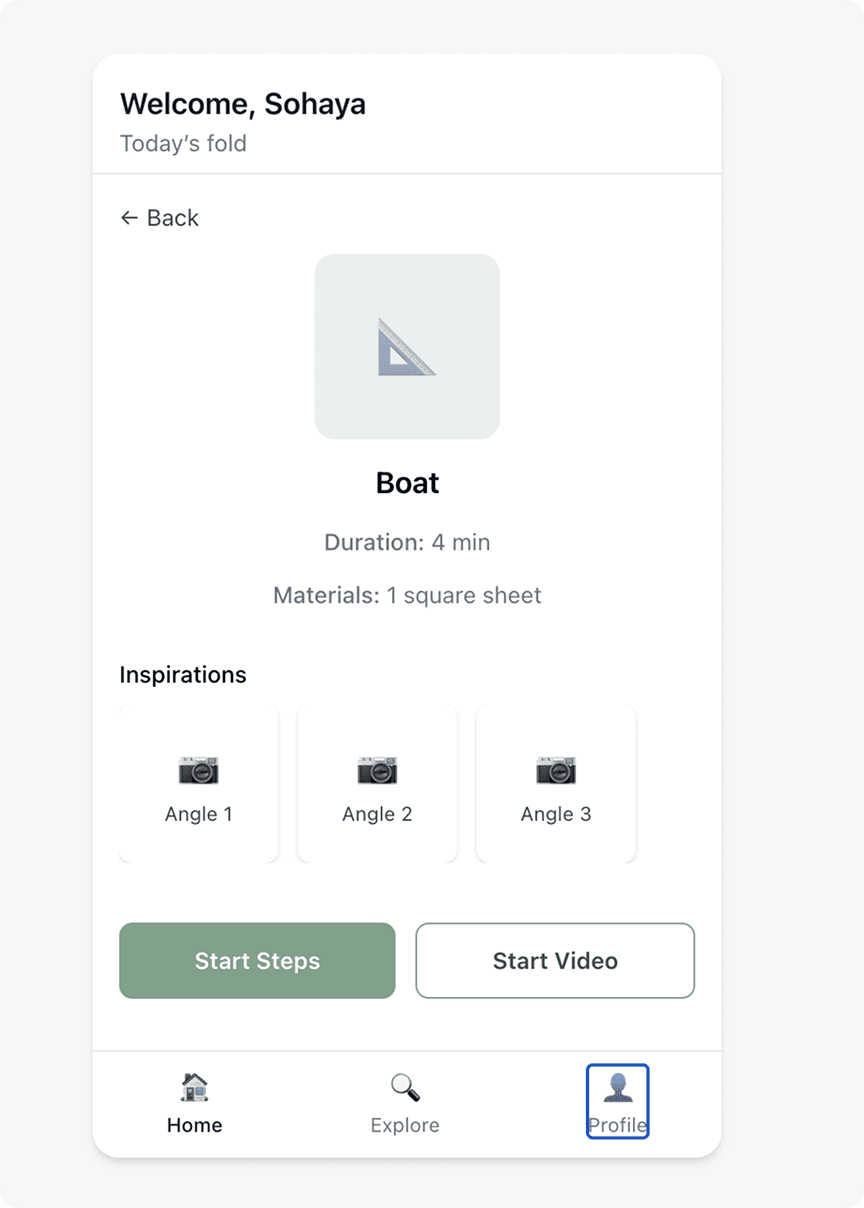
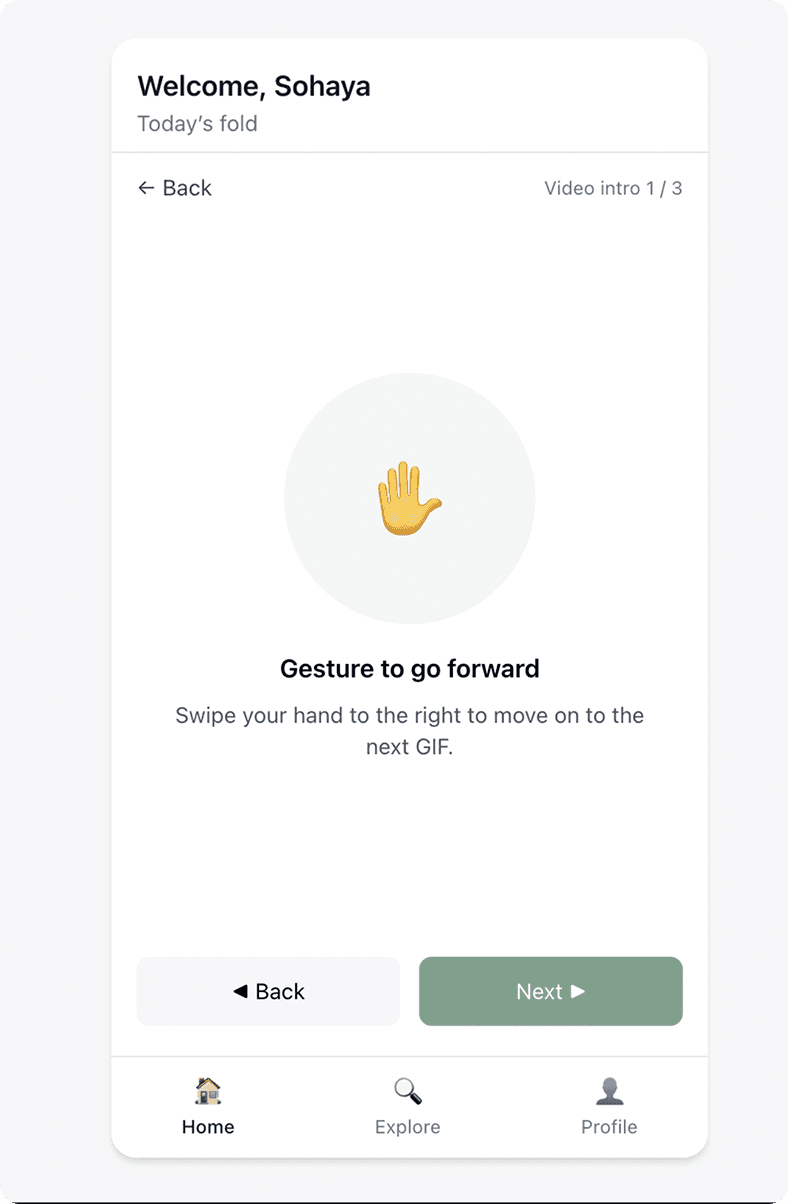
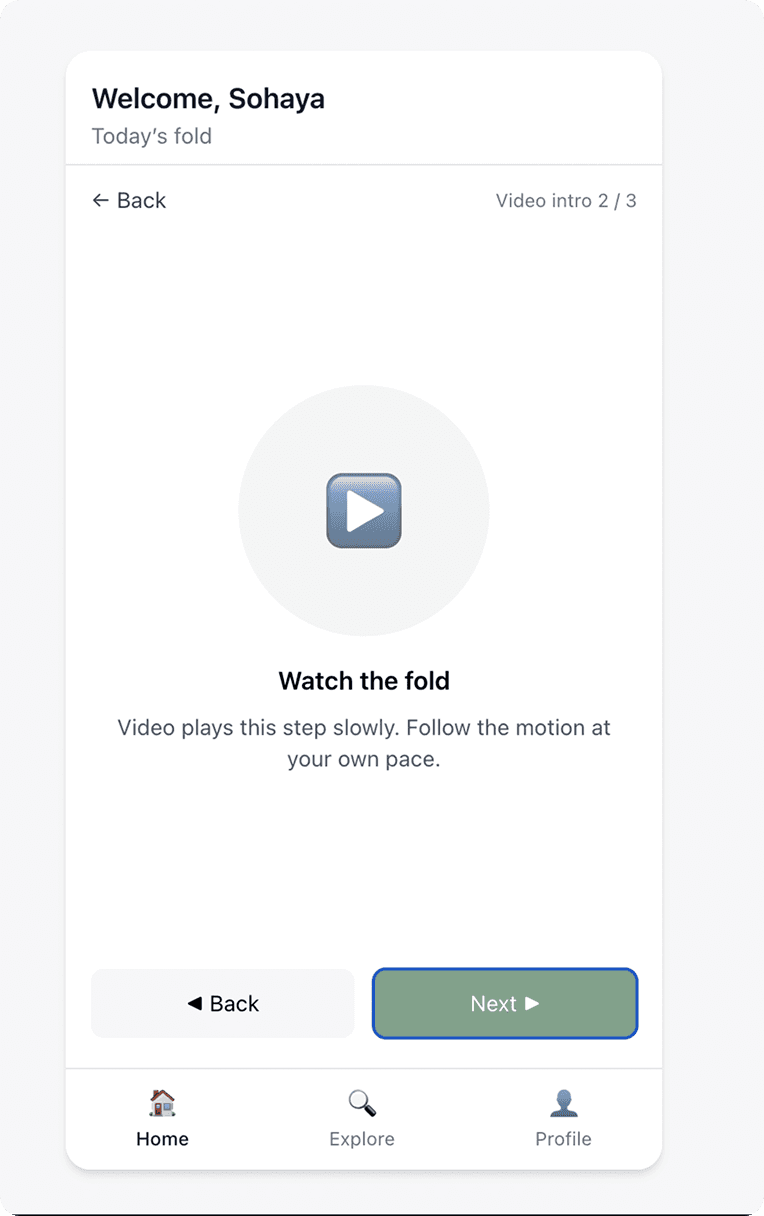
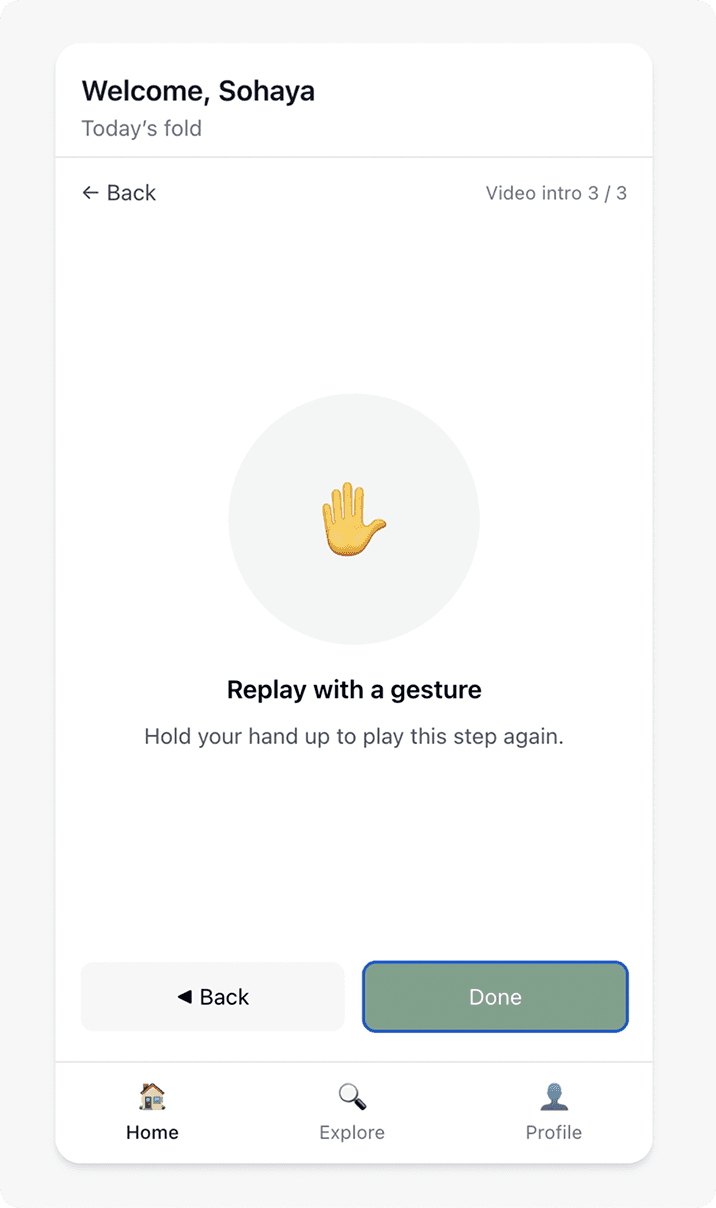
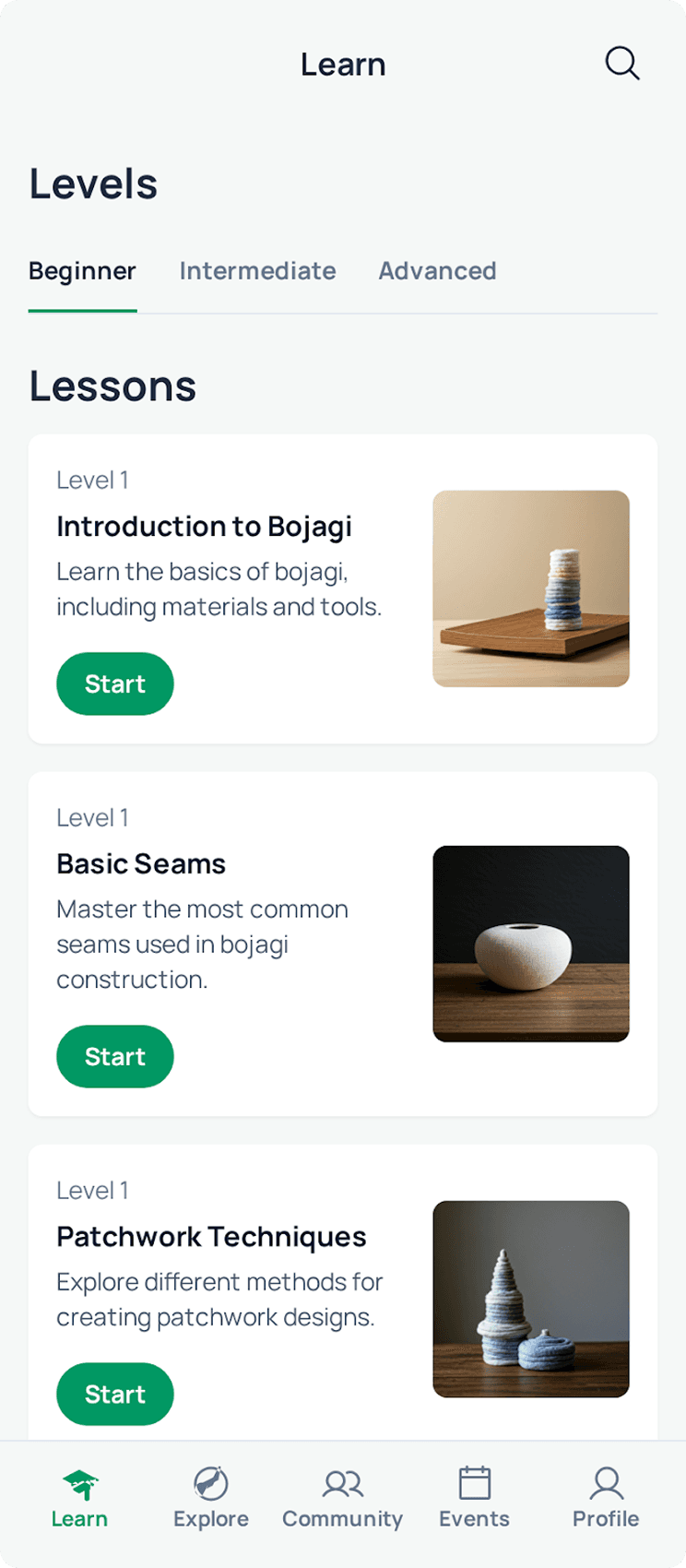
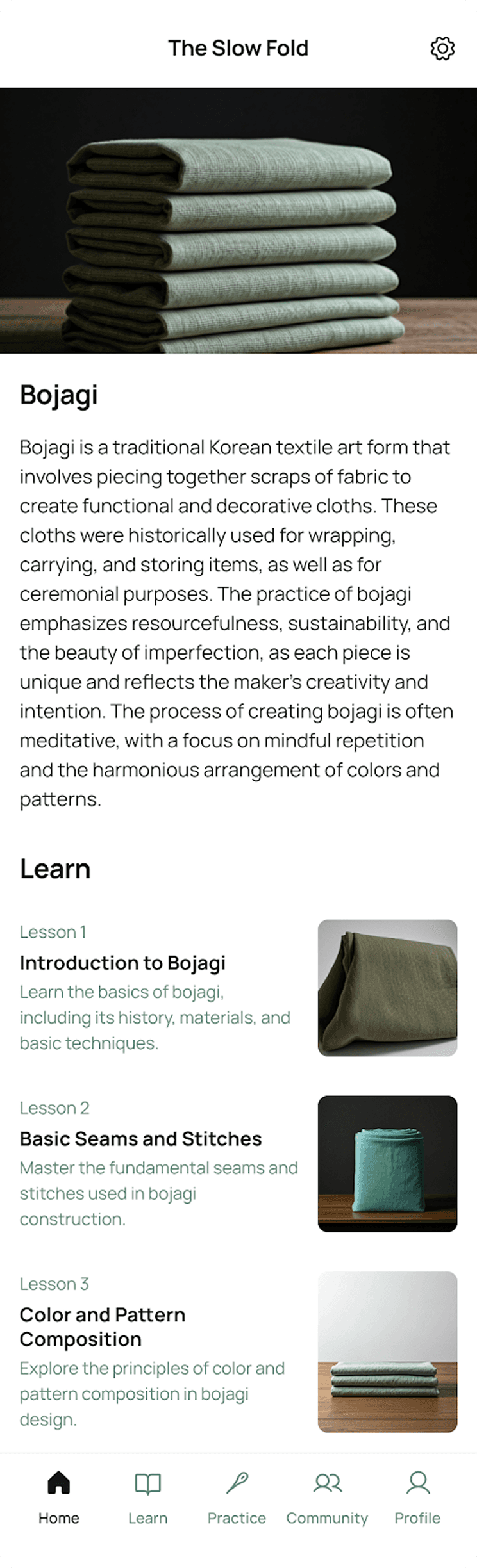
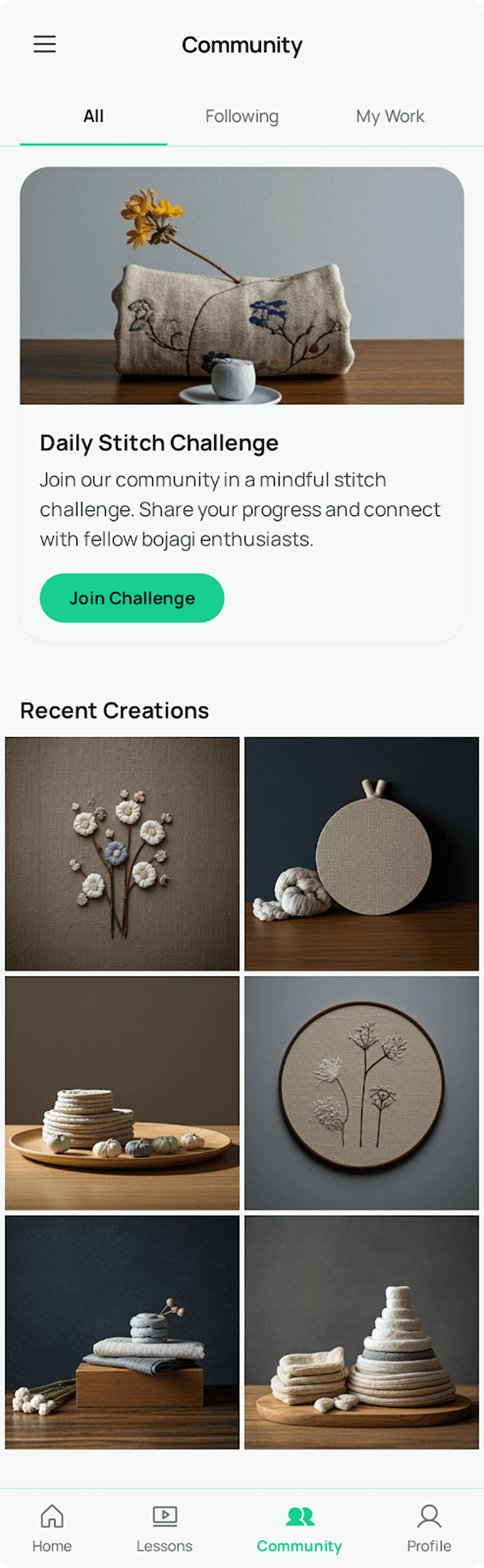
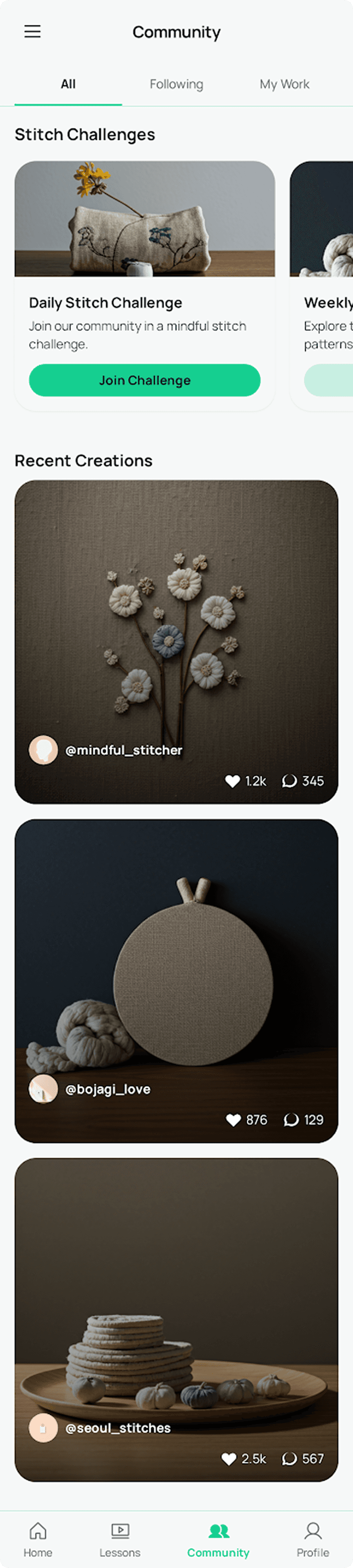
I sketched the first drafts of my ideas and uploaded the drawings into ChatGPT to see how it would interpret them. It generated a clickable prototype that helped me visualize the app more clearly and sparked new ideas for future considerations. It also suggested multiple alternative ways to present the same information, which was incredibly helpful.
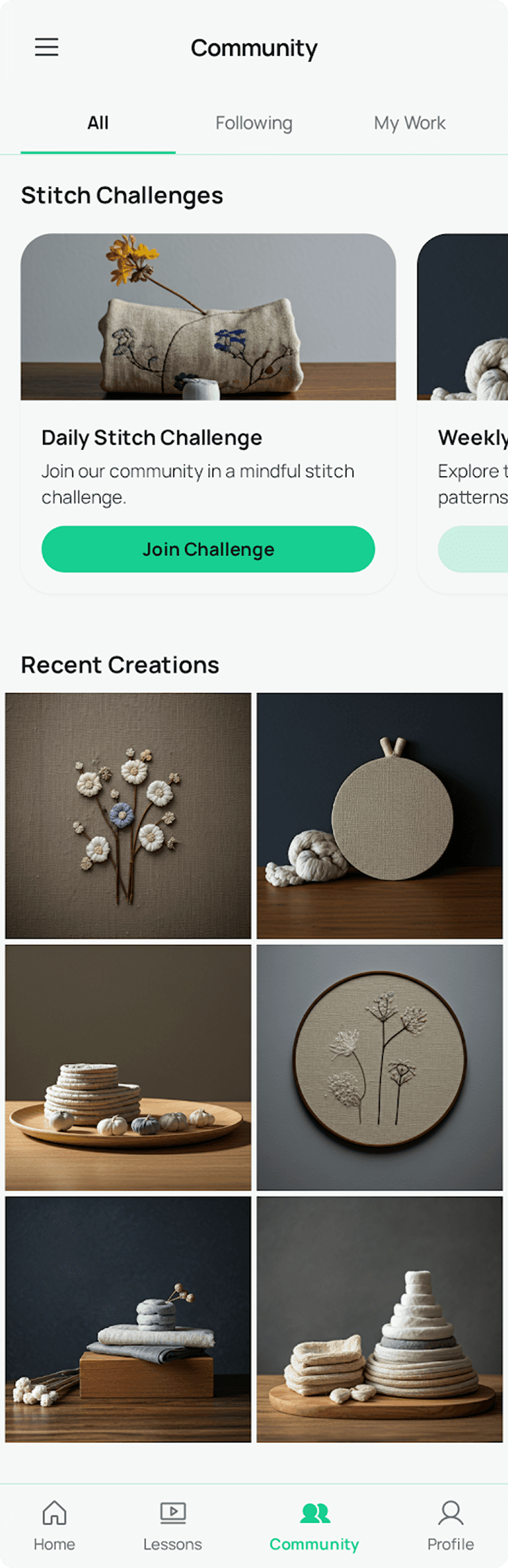
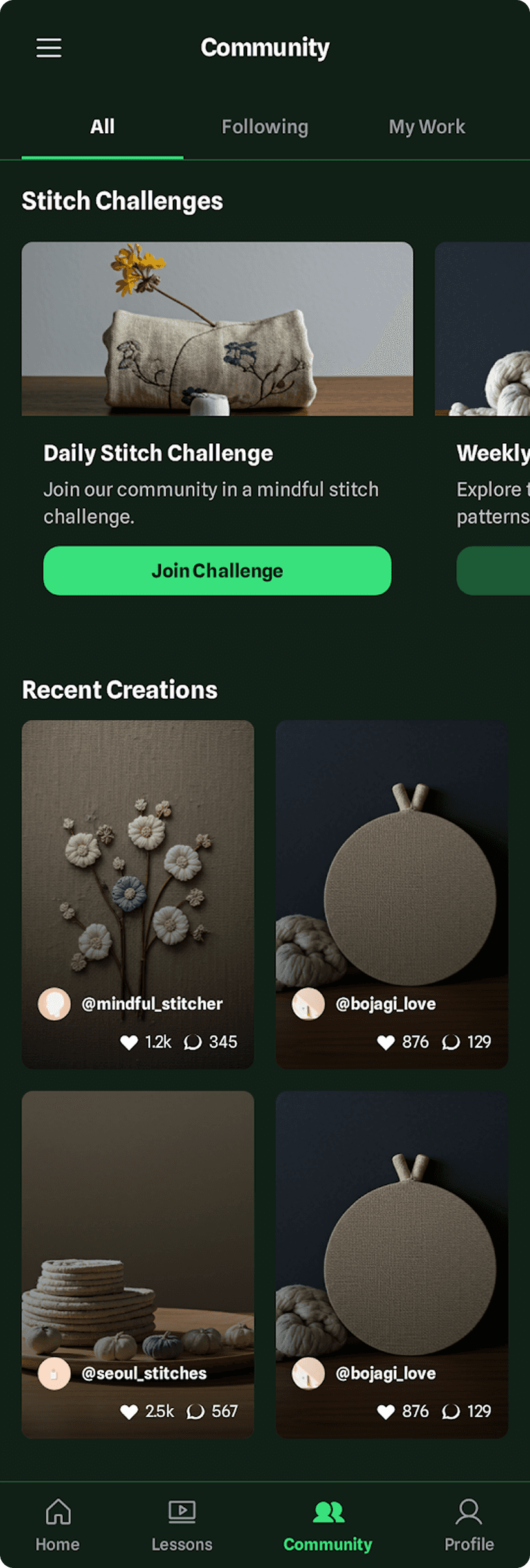
Stitch
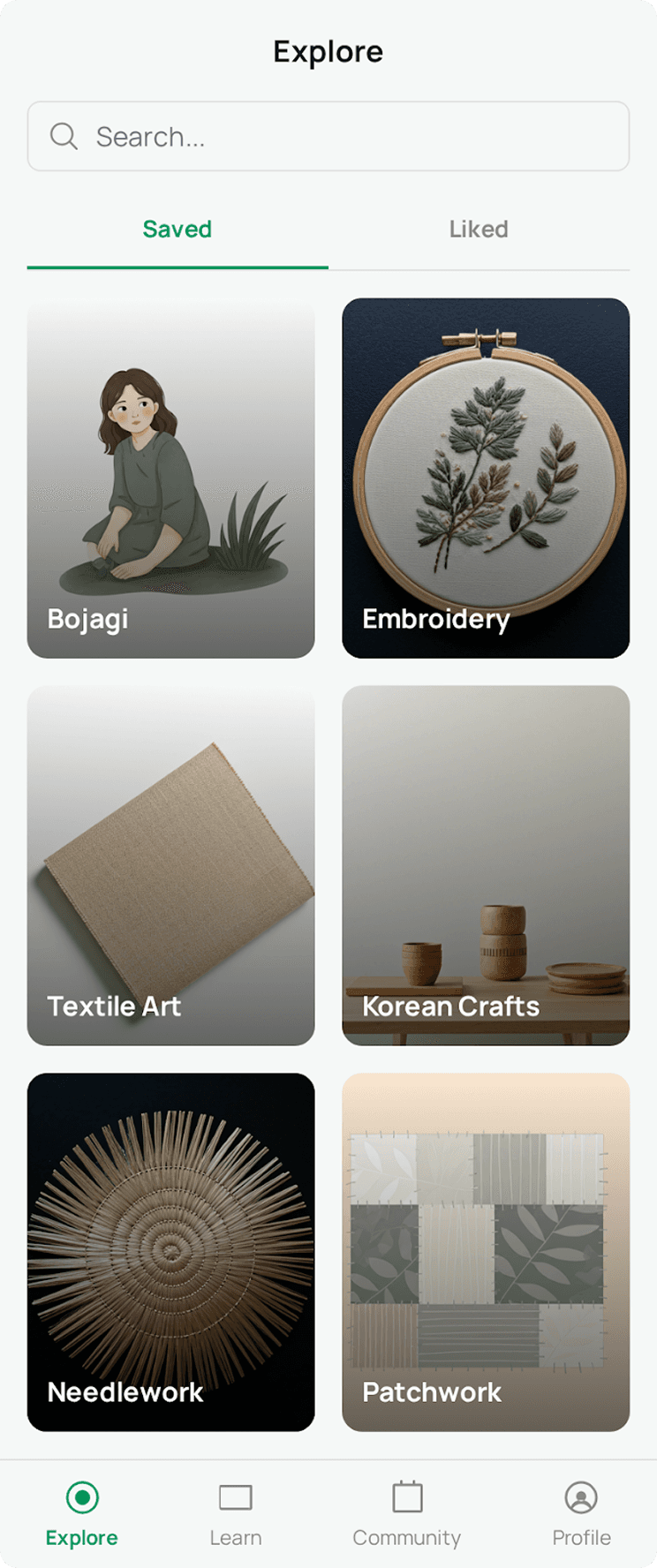
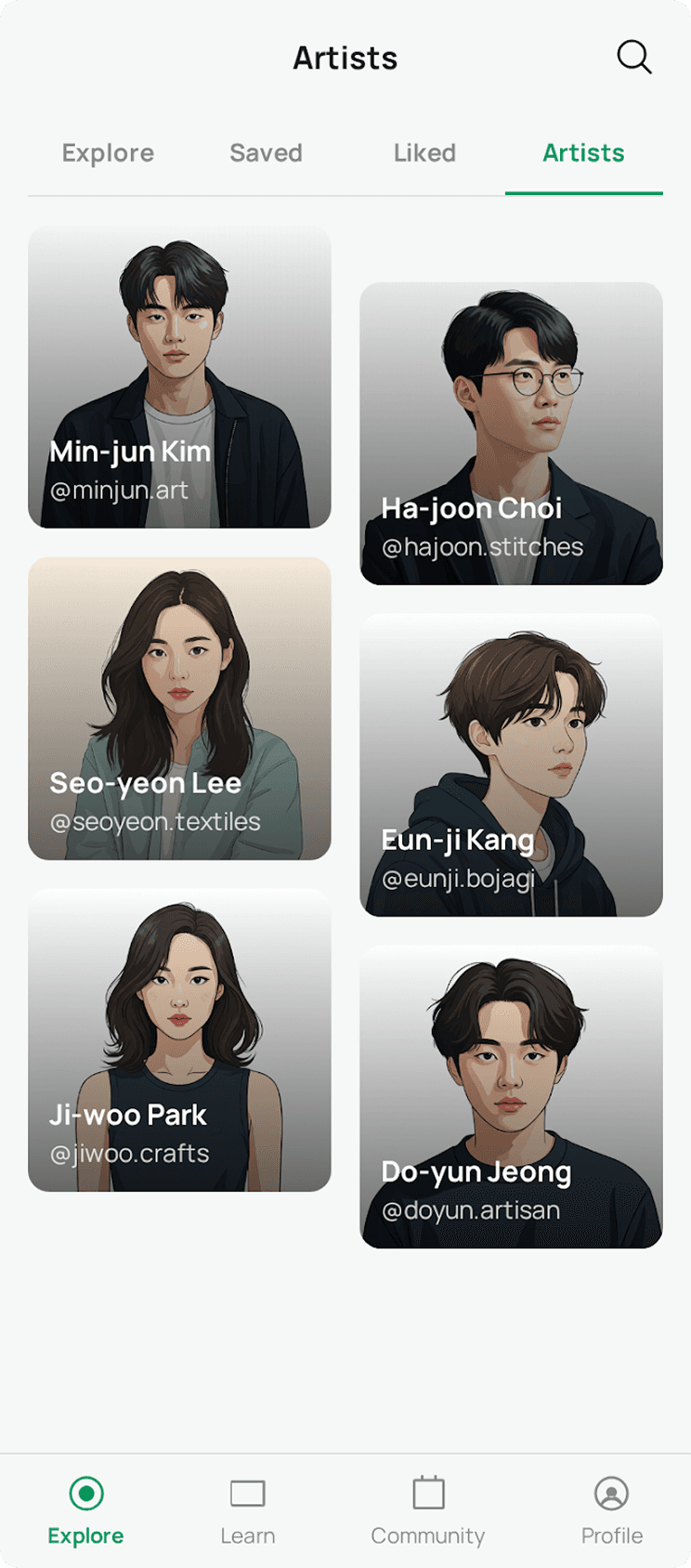
I then conducted another round of iteration with switch that is a tool designed very specifically for UX. Here I described what I wanted to see in text to test out another approach.
Prototype
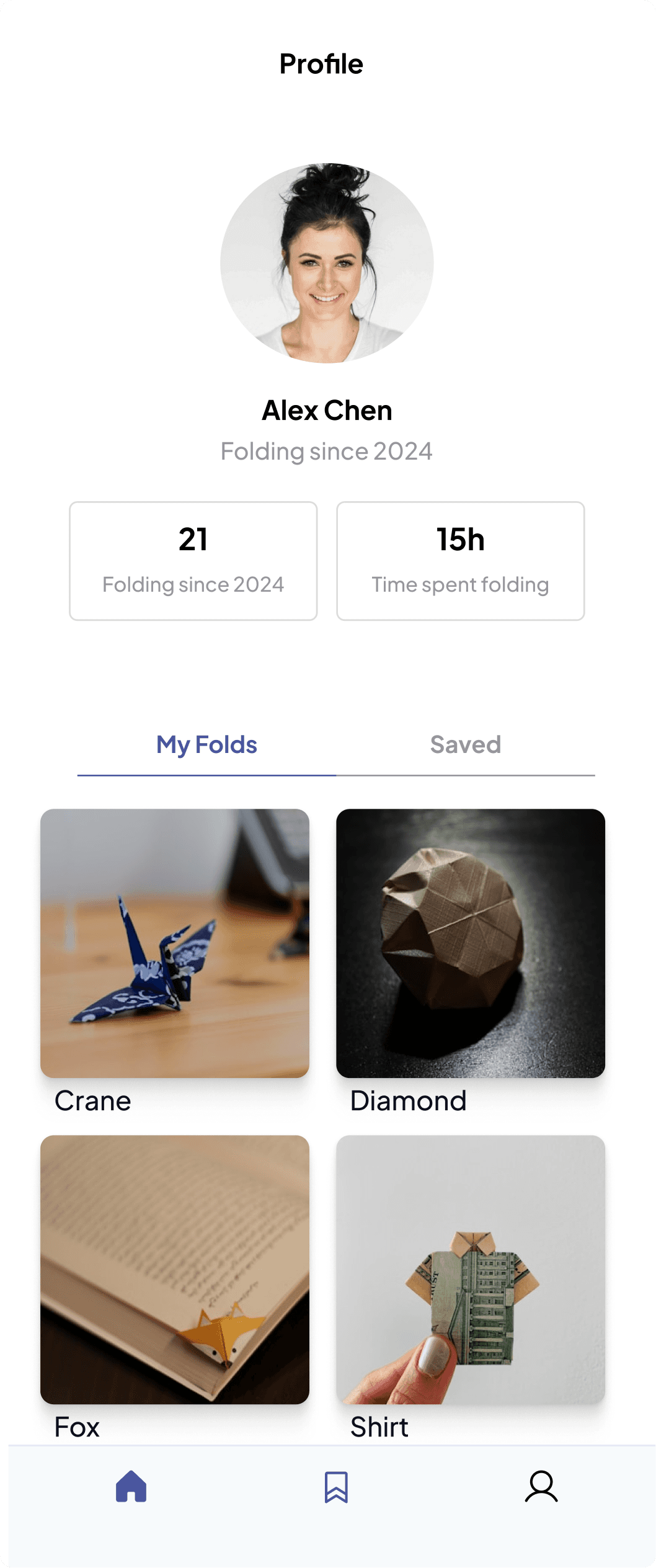
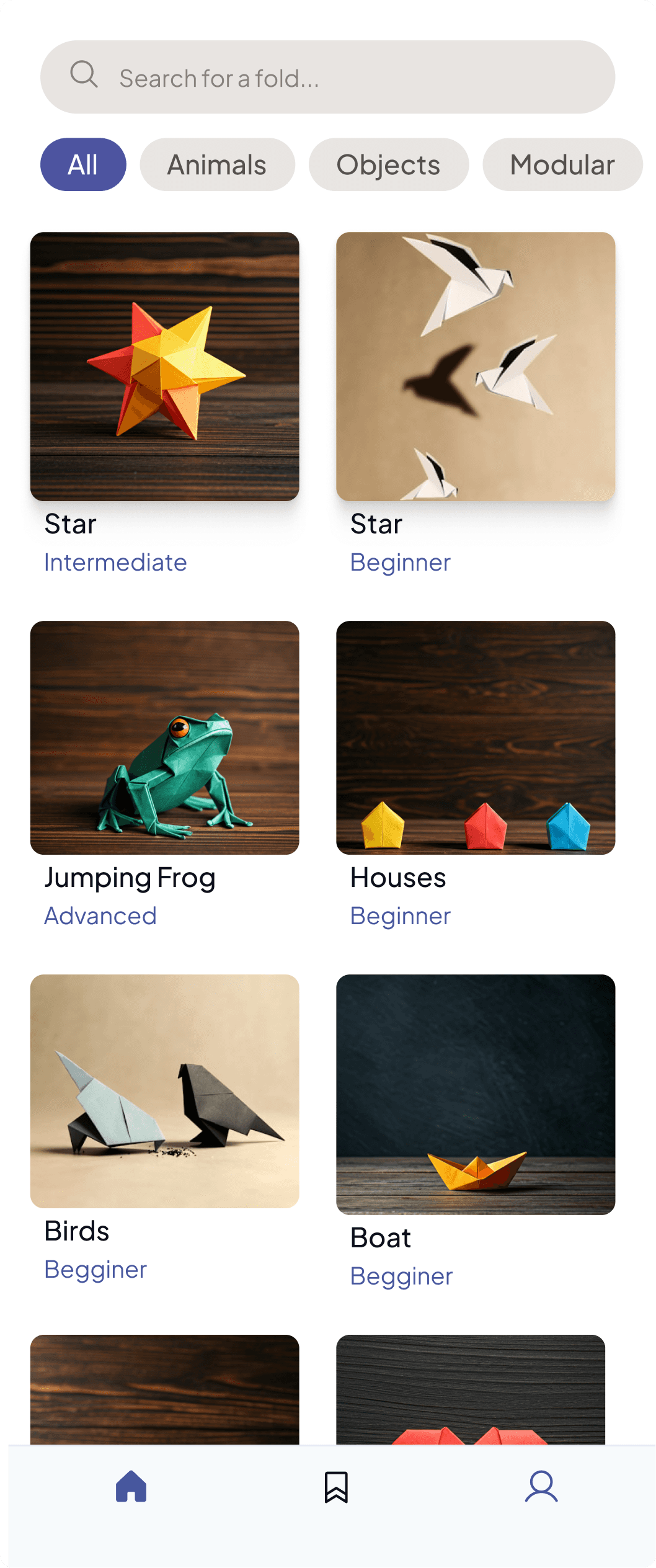
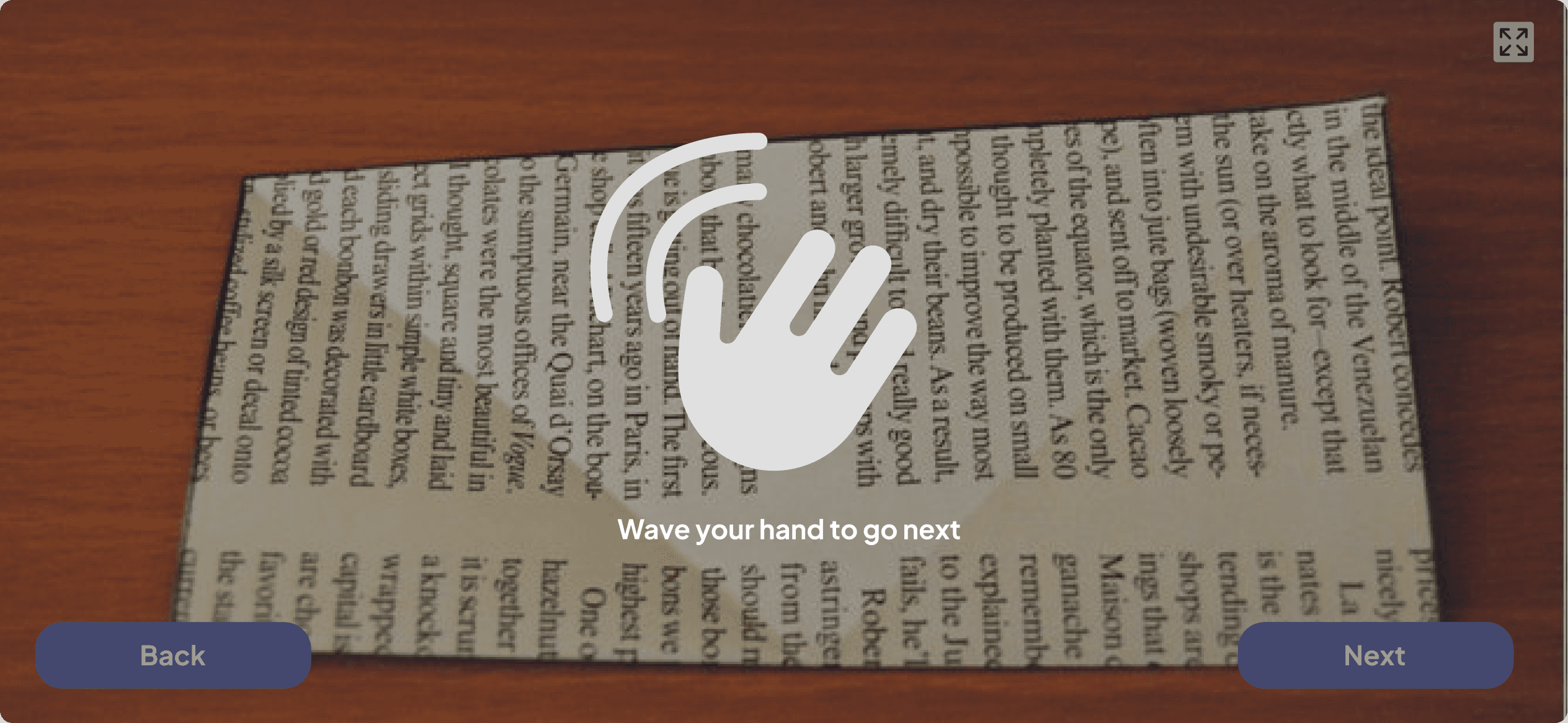
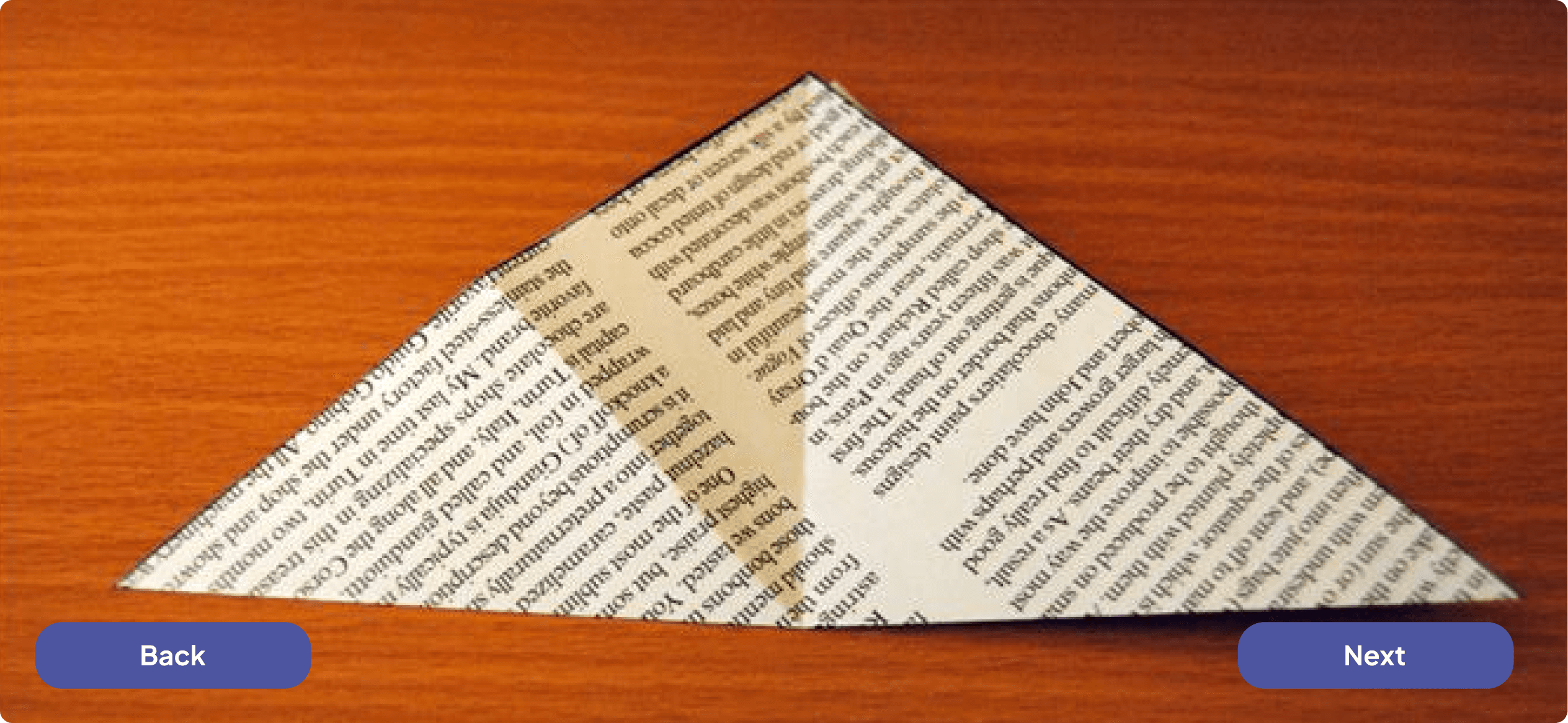
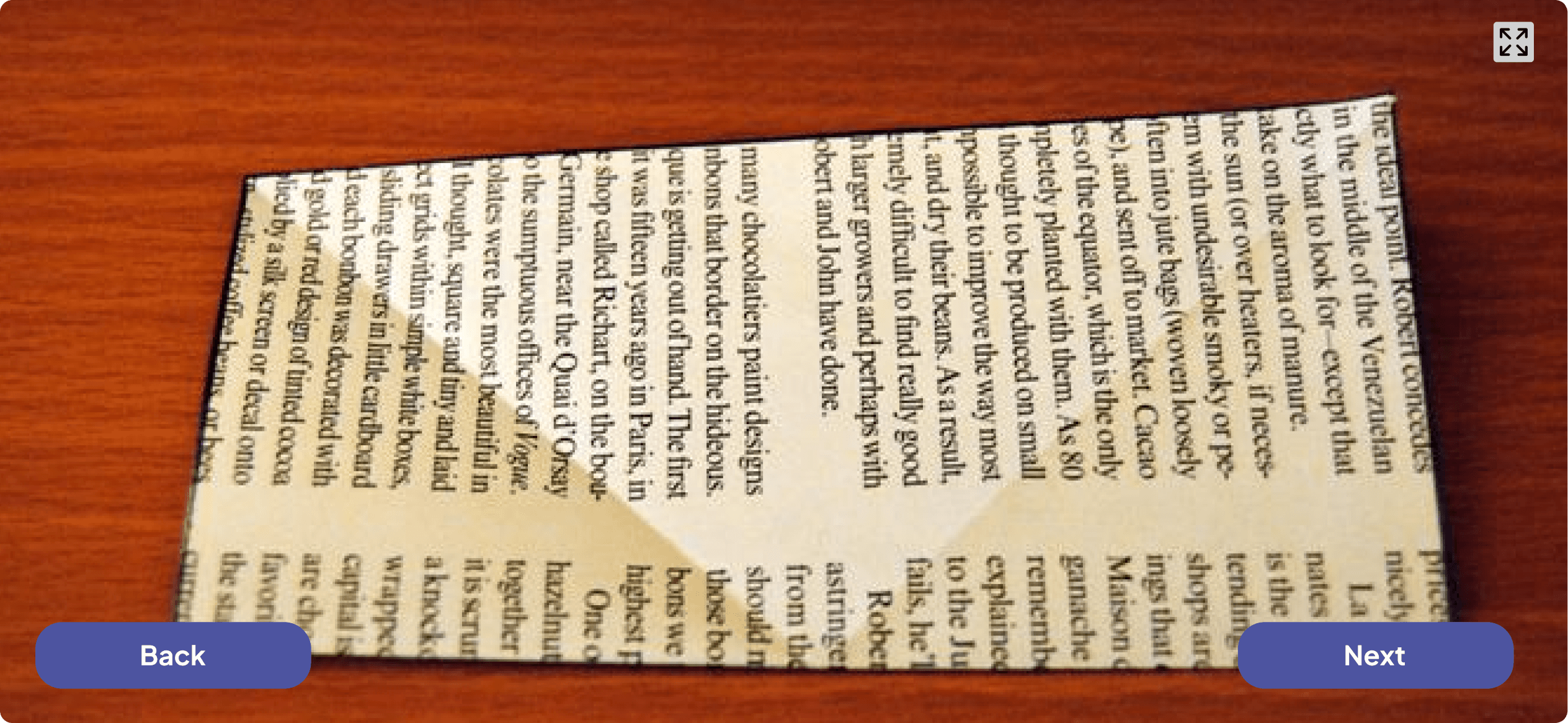
I drew inspiration from all the designs I generated and created a final version that feels like an amalgamation of the best elements from each one.

My Learnings
Unpredictibility of AI
Growing pace of new tools
There are many tools available today for very specific UX needs. Exploring them and seeing how far they’ve come was a great learning experience. Their maturity is evolving quickly, so it’s important to stay up to date with everything.
Check out more of my work

2025 • B2C • Recruitment Tool
Hack4Impact Recruitment Portal
Transformed Hack4Impact’s recruitment system into a single, transparent platform that supports applicants, reviewers, and directors at scale.